Interior AI vs HouseGPTs: Which AI Designer Wins in 2026?
Article Contents
- Quick Verdict
- Pricing: $0 to Start vs $29/Month Minimum
- Interior AI Pricing
- HouseGPTs Pricing
- What This Means in Practice
- Head-to-Head Spec Table
- Render Quality: What "Realism" Actually Means
- Speed and Style Exploration
- Which Tool Should You Choose?
- Choose Interior AI if:
- Choose HouseGPTs if:
- How to Try HouseGPTs
- Step 1: Photograph Your Room
- Step 2: Upload at housegpts.com
- Step 3: Choose a Style
- Step 4: Get Your Redesign in ~30 Seconds
- Bottom Line
- Related Design Resources
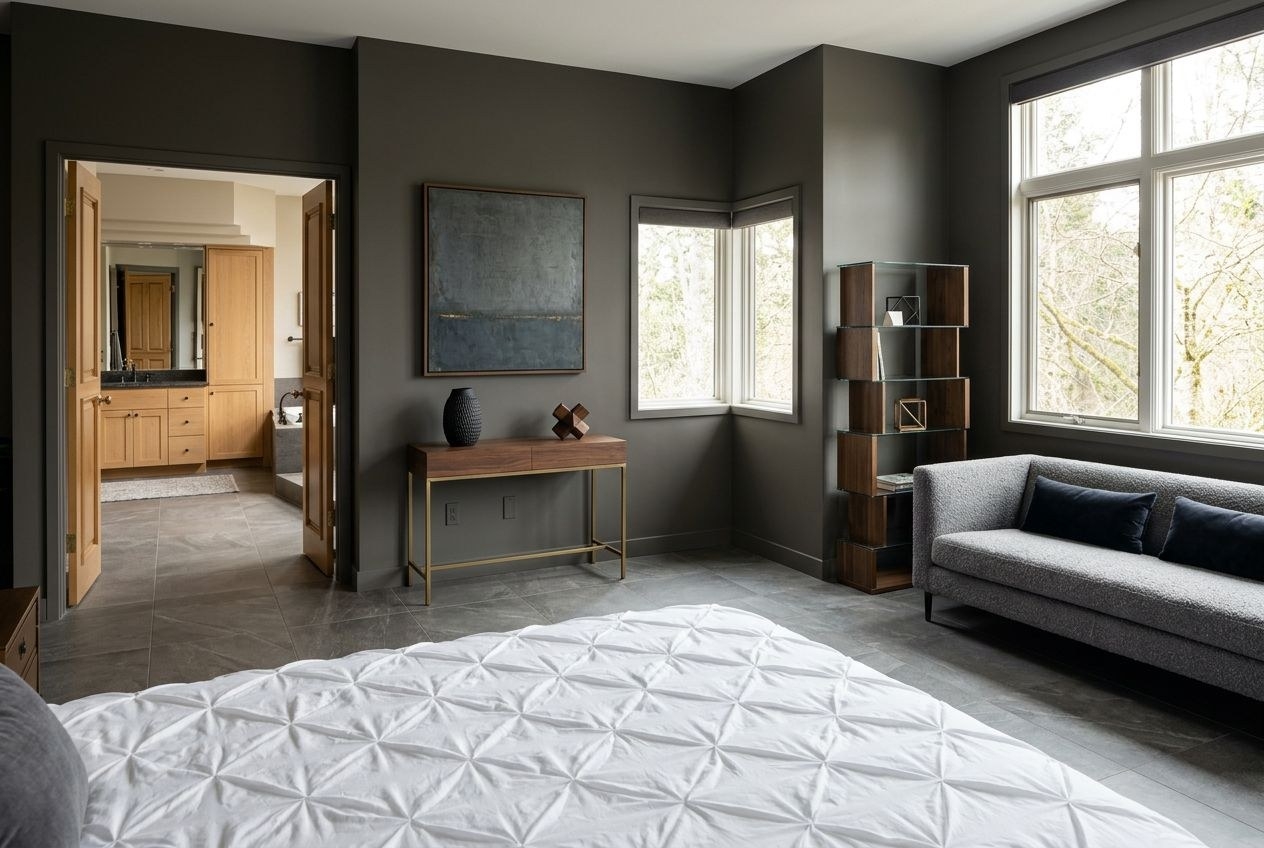
The Challenge: Before
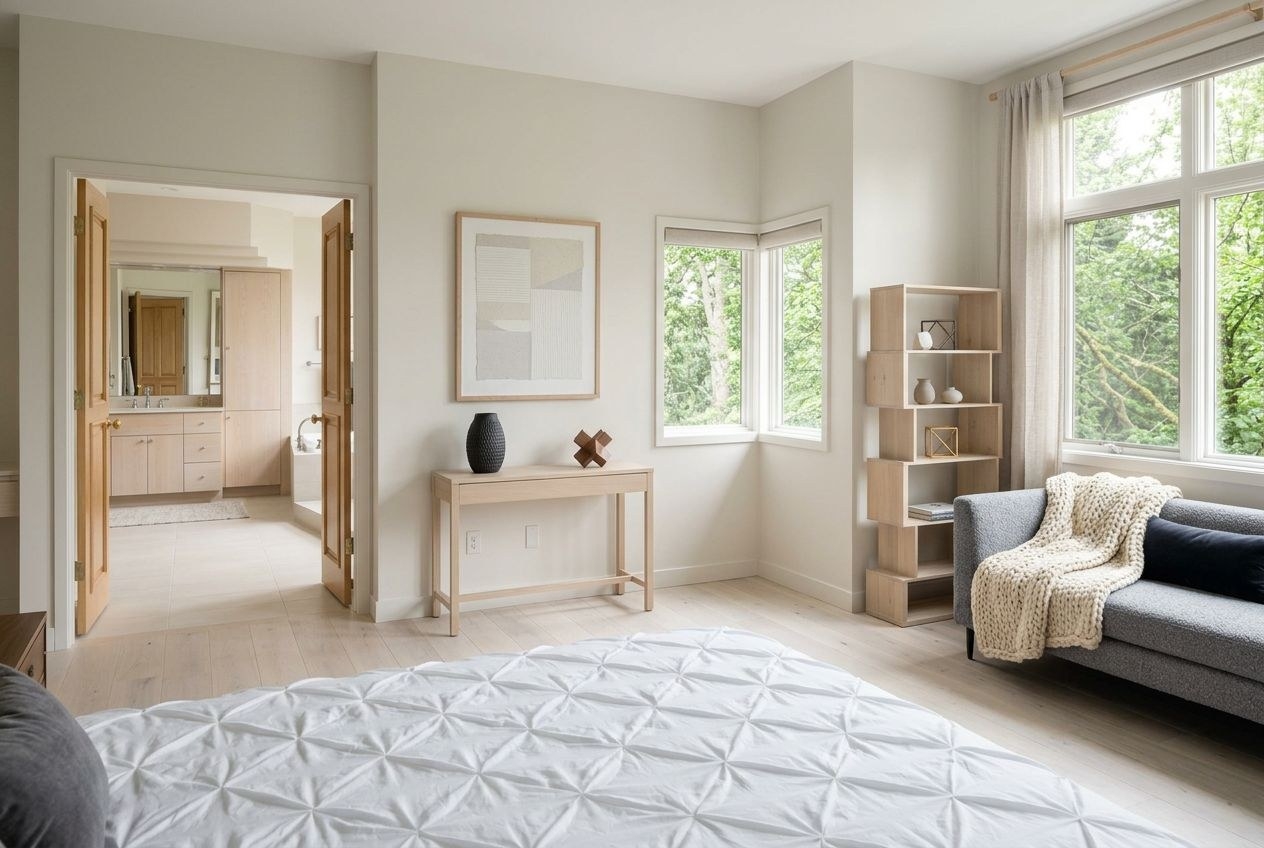
The Transformation: After (AI Generated)
For most homeowners, HouseGPTs wins the 2026 comparison against Interior AI because it offers 2 full-quality AI redesigns for free with no credit card, versus Interior AI's $29/month Pro plan with no free trial at all. Interior AI is a capable tool, especially for real estate professionals doing virtual staging across many listings, with 40+ styles and a "Hyper Realism" rendering mode. But for someone redesigning their own home who wants to try the tool before paying, the entry cost is the deciding factor: $0 to start with HouseGPTs versus $29/month (or $249/year) committed up front with Interior AI. This guide compares both tools head-to-head on price, speed, realism, and use case so you can pick the right one for your situation.
Quick Verdict
If you're a homeowner who wants to see your room redesigned without committing to a subscription, HouseGPTs is the better starting point — 2 free designs, no card, $39/month if you want unlimited. If you're a real estate agent or virtual staging professional generating dozens of renders per month and need a commercial usage license bundled in, Interior AI's $29/month Pro plan is built for that volume and includes features oriented toward staging workflows. The two tools overlap in core function — photo-to-redesign AI generation — but diverge on pricing model and target user.
Pricing: $0 to Start vs $29/Month Minimum
Interior AI Pricing
Interior AI's Pro Plan costs $29 per month or $249 per year, and includes unlimited renders, faster processing, and a commercial usage license for individual users. A Pro for Teams plan costs $299 per month or $1,999 per year and supports up to 10 users. Critically, Interior AI does not offer a formal free trial — you can browse pre-designed example outputs to get a sense of quality, but generating a redesign of your own room requires a paid subscription from the first use.
HouseGPTs Pricing
HouseGPTs provides 2 free AI designs of your actual room with no credit card required — these are full-resolution, non-watermarked outputs, not degraded previews. If you want unlimited designs after that, it's $39/month flat, with no separate "teams" tier complexity for individual users.
What This Means in Practice
With Interior AI, you're deciding to spend $29-$249 before you know whether the tool's output matches your specific room well. With HouseGPTs, you upload your photo, see the actual result for your space, and then decide. For one-off projects — redesigning a single room, testing a style before a renovation — the free-to-start model removes the risk entirely.
Head-to-Head Spec Table
Criteria Interior AI HouseGPTs Entry cost $29/month or $249/year — no free trial for your own room 2 free designs, no card required Unlimited plan $29/month (individual), $299/month (10-user team) $39/month flat (individual) Style count 40+ styles 50+ styles Render speed Seconds to a couple minutes depending on mode ~30 seconds Realism mode "Hyper Realism" on Premium/Ultra tiers Photorealistic output on all tiers, including free Commercial license Included on Pro plan — built for real estate/staging use Personal use; designed for homeowner decision-making Input methods Photo-to-style, sketch-to-render, SketchUp 3D model import Photo of your real room Best for Real estate agents, virtual staging at volume Homeowners redesigning their own spaceRender Quality: What "Realism" Actually Means
Both tools claim photorealistic output, but the meaningful difference is what the AI is rendering. Interior AI's strongest use case is virtual staging — taking a photo of an empty or under-furnished room (often for a real estate listing) and generating a furnished version in a target style. Its sketch-to-render and 3D-model-import features extend this further, letting designers turn concept sketches or SketchUp models into polished renders. The "Hyper Realism" mode, available on Premium and Ultra tiers, is specifically aimed at producing renders detailed enough for marketing materials.
HouseGPTs is built around a narrower but more personal use case: transforming a photo of a room you actually live in. The AI works from your real walls, your specific window placement, your existing flooring, and your room's proportions, then generates a redesign that preserves those characteristics while changing the style. The result is meant to answer "what would my room look like redesigned" rather than "what would a furnished version of this empty room look like for a listing."
Speed and Style Exploration
HouseGPTs generates a redesign in approximately 30 seconds, which makes exploring multiple styles for the same room practical — you can run your living room through Modern, Coastal, and Japanese in a couple of minutes and compare them directly. Interior AI's processing time varies by mode, with higher-realism renders taking longer; for professionals batch-processing listing photos, this is a reasonable tradeoff for output quality. For a homeowner trying to figure out their own style preference through rapid comparison, the speed difference compounds — more iterations in less time means a better chance of finding the direction that actually resonates.
Which Tool Should You Choose?
Choose Interior AI if:
You're a real estate agent, virtual stager, or interior design professional who needs a commercial usage license, plans to generate a high volume of renders monthly, or wants sketch-to-render and 3D-model-import capabilities for client presentations. The $29-$299/month pricing makes sense when the output directly supports revenue-generating work.
Choose HouseGPTs if:
You're redesigning your own home and want to see real options for your actual room before spending anything. The 2 free designs let you evaluate output quality for your specific space with zero financial commitment, and $39/month for unlimited designs is a low-risk next step if you want to explore further — whether that's testing styles room by room or generating references to share with a contractor.
How to Try HouseGPTs
Step 1: Photograph Your Room
Capture the full room from a corner or doorway, in natural light, with walls, ceiling, and floor visible.
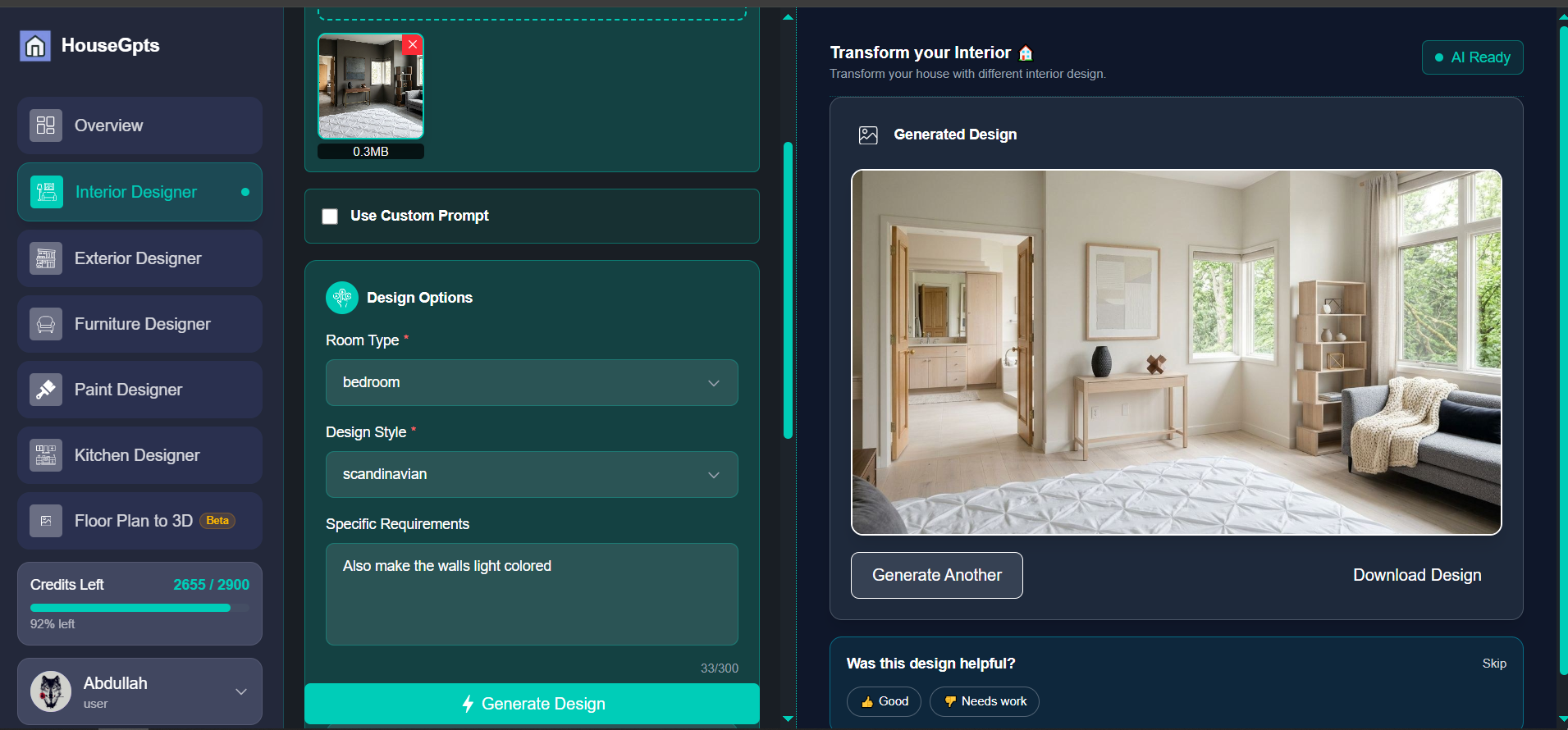
Step 2: Upload at housegpts.com
No account required to start — upload your photo from any device.
Step 3: Choose a Style
Pick from 50+ styles. Use your two free designs to test two different directions for the same room.
Step 4: Get Your Redesign in ~30 Seconds
Review your photorealistic result, download it, or share it with family or a contractor.
Bottom Line
Interior AI and HouseGPTs both use AI to transform room photos, but they're built for different audiences. Interior AI's $29-$249 entry point and commercial licensing make sense for professionals generating renders at volume. HouseGPTs' 2 free designs with no card make it the lower-risk choice for homeowners who want to see their own room redesigned before deciding whether to pay anything. If you're not sure which category you fall into, start with the option that costs nothing to try.
Try HouseGPTs Free
Upload a photo of your room and get a photorealistic AI redesign in about 30 seconds. 2 free designs, no credit card required.
Related Design Resources
Ready for Your Own AI Redesign?
Start Designing with AI →FAQs about Interior AI vs HouseGPTs: Which AI Designer Wins in 2026?
Everything you need to know
Is Interior AI or HouseGPTs better for homeowners?
For homeowners redesigning their own space, HouseGPTs is generally the better fit because it offers 2 free, full-quality AI redesigns with no credit card required, letting you evaluate results for your actual room before paying. Interior AI requires a $29/month or $249/year subscription with no free trial for generating your own renders, which makes more sense for professionals who will use the output commercially and at volume.
Does Interior AI have a free trial?
Interior AI does not offer a formal free trial for generating renders of your own room. You can view pre-designed example outputs to assess quality, but creating your own redesign requires subscribing to the Pro plan at $29/month or $249/year. HouseGPTs, by comparison, provides 2 free full-quality designs of your actual room with no credit card required.
How much does Interior AI cost compared to HouseGPTs?
Interior AI's Pro plan costs $29/month or $249/year for an individual, with a Pro for Teams plan at $299/month or $1,999/year for up to 10 users. HouseGPTs offers 2 free designs with no card, then $39/month flat for unlimited designs for an individual — lower than Interior AI's individual Pro pricing and with a free option to test first.
Which tool produces more realistic results, Interior AI or HouseGPTs?
Both tools produce photorealistic output, but for different purposes. Interior AI's 'Hyper Realism' mode (available on Premium/Ultra tiers) is tuned for staging and marketing-quality renders of listing photos. HouseGPTs produces photorealistic redesigns of your actual room — preserving your real walls, windows, and proportions — on every tier, including the free designs, which is more relevant for personal renovation decisions.
Is Interior AI good for real estate agents and virtual staging?
Yes. Interior AI's Pro plan includes a commercial usage license, unlimited renders, and features like sketch-to-render and 3D model import via SketchUp, which suit real estate agents and virtual staging professionals generating renders at volume. HouseGPTs is built primarily for homeowners evaluating redesigns of their own space rather than commercial listing workflows.
Can I switch between Interior AI and HouseGPTs?
Yes, there's no exclusivity — many users try both. Since HouseGPTs offers 2 free designs with no card required, a practical approach is to test HouseGPTs first on your own room at no cost, and evaluate Interior AI separately if you need commercial licensing, sketch-to-render features, or higher-volume staging workflows.