Planner 5D Alternative: Free AI Home Design From Real Photos (2026)
Article Contents
- What Planner 5D Actually Costs in 2026
- The Trial Trap
- What You Actually Get for Free
- The Core Problem: You're Building a Model, Not Seeing Your Room
- Step 1: Draw Your Floor Plan (15-30 minutes)
- Step 2: Populate the Catalog (15-30 minutes)
- Step 3: Render and Adjust (10-20 minutes)
- The Result Still Isn't Your Room
- HouseGPTs: Upload a Photo, Get Your Room Redesigned
- No Floor Plan, No Catalog, No Setup
- Genuinely Free to Start
- 50+ Styles, Explored in Minutes
- Planner 5D vs HouseGPTs: Side-by-Side Comparison
- When Planner 5D Is Still the Right Tool
- How to Try HouseGPTs Instead
- Step 1: Photograph Your Room
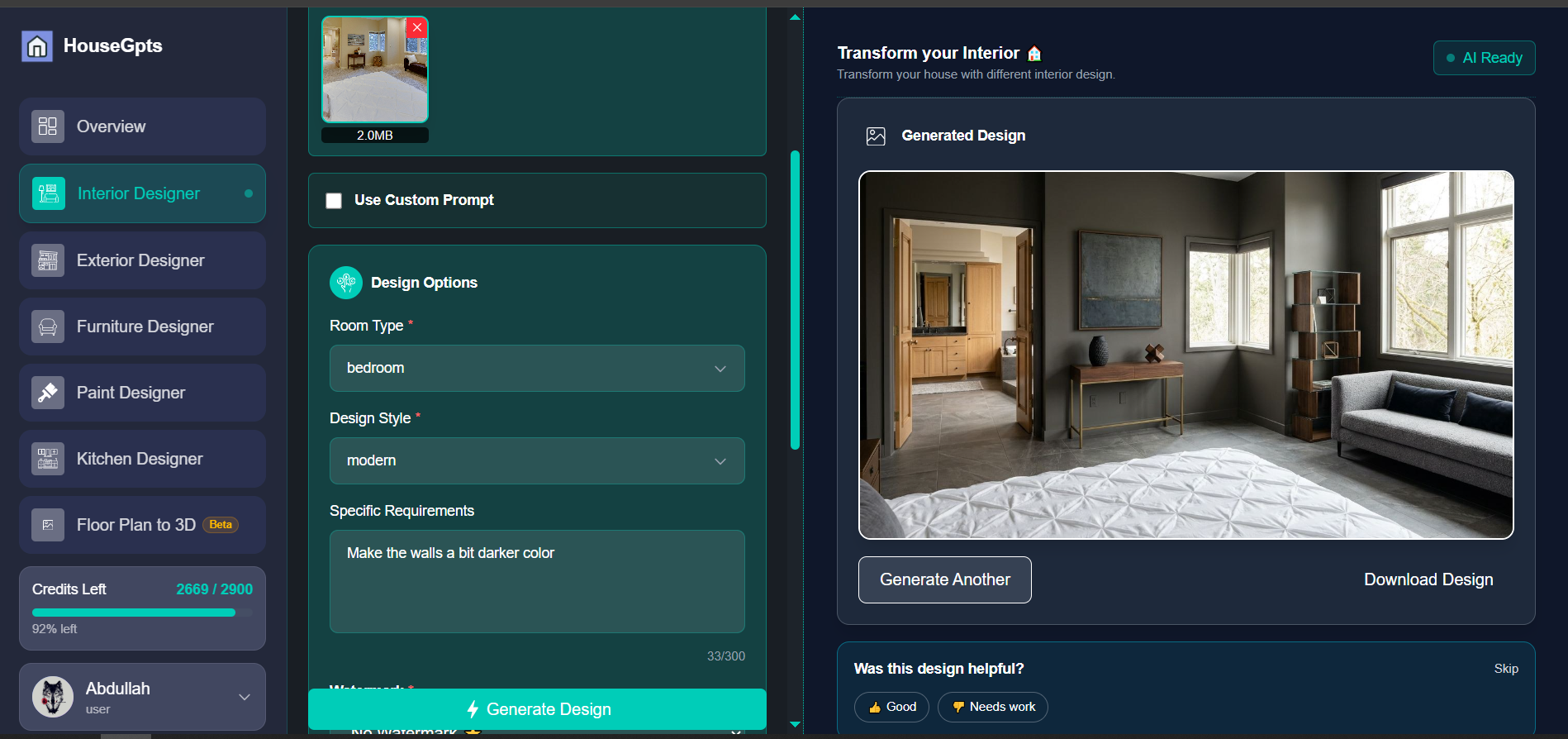
- Step 2: Upload at housegpts.com
- Step 3: Pick a Style and Generate
- Step 4: Review Your Redesign in ~30 Seconds
- Make the Switch from Planner 5D
- Related Design Resources
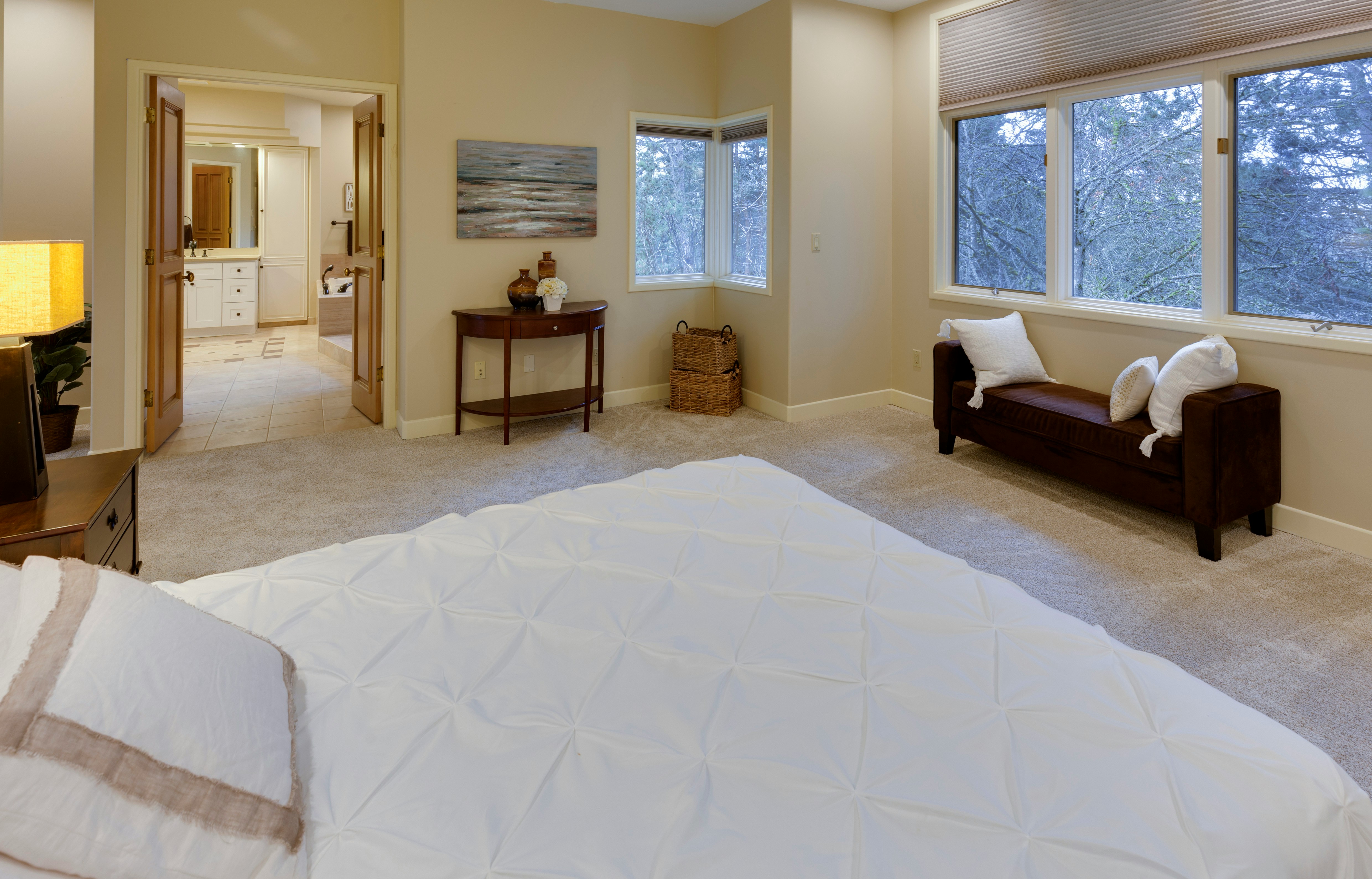
The Challenge: Before
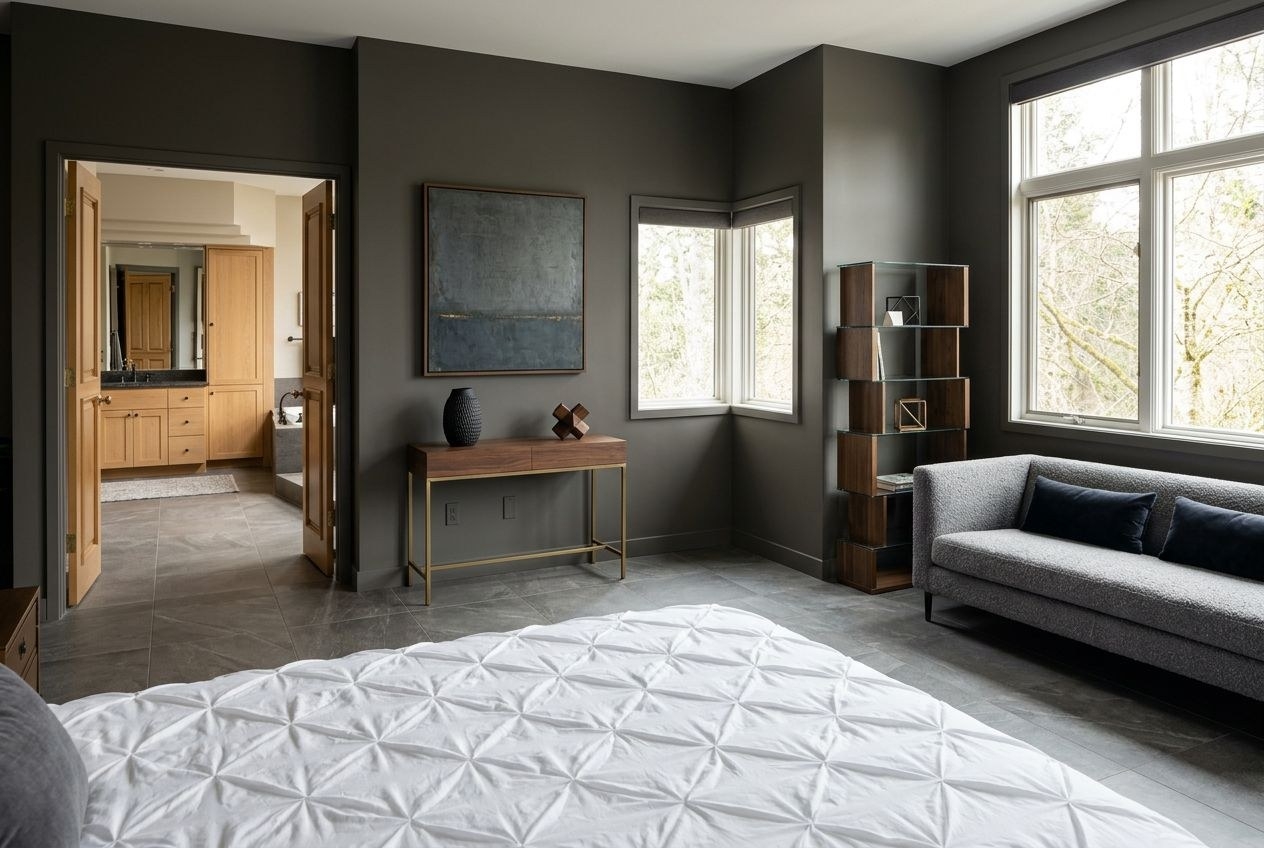
The Transformation: After (AI Generated)
Planner 5D Alternative: Free AI Home Design From Real Photos (2026)
The best free Planner 5D alternative in 2026 is HouseGPTs, an AI tool that turns a photo of your actual room into a photorealistic redesign in about 30 seconds, with 2 free designs and no credit card required. Planner 5D's free tier costs nothing to download, but useful output — HD exports, 3D floor plans, and the furniture catalog — sits behind a $4.99 to $49.99 per month subscription, and even on a paid plan you still have to draw your room from scratch before seeing any result. If you've opened Planner 5D, started placing walls, and wondered why a "free" design tool feels this expensive and this slow, you're not alone. This guide breaks down exactly what Planner 5D costs, where it falls short for people who just want to see their room redesigned, and why an AI photo-based tool is the faster, cheaper path to the same goal.

What Planner 5D Actually Costs in 2026
Planner 5D markets itself as a free design tool, and technically it is — you can download it and start placing walls without paying anything. But "free" in Planner 5D's pricing model means access to a stripped-down version of the product. The real pricing structure looks like this: Free ($0, watermarked exports and a limited catalog), Premium ($4.99/month billed annually, or $19.99/month billed monthly), and Professional ($33.33/month billed annually, or $49.99/month billed monthly). The gap between the monthly and annual price on every tier is significant — Premium costs roughly 4x more if you pay month to month, which pushes most users toward an annual commitment before they've confirmed the tool actually solves their problem.
The Trial Trap
Planner 5D offers a 7-day free trial of its full catalog and feature set, but that trial is only available on annual plans — monthly plans get no trial at all. Multiple users have reported being charged the full annual fee (around $76 USD, or roughly £59.99) within days of signing up for what they believed was a free trial period. Because subscriptions auto-renew and Planner 5D's refund policy does not cover unused subscription days, a moment of curiosity about a "free" design tool can turn into an unwanted annual charge that's difficult to reverse.
What You Actually Get for Free
On the free tier, Planner 5D gives you basic 2D and 3D floor plan tools and a limited furniture catalog, but exports carry watermarks and the catalog excludes most of the items you'd want to use in a real design. For someone who just wants to answer "what would my living room look like in a different style," the free tier doesn't really answer that question — it shows you a generic 3D box with placeholder furniture, watermarked, after you've spent significant time building it.
The Core Problem: You're Building a Model, Not Seeing Your Room
Even setting price aside, Planner 5D's fundamental workflow is built around floor plan construction, not design visualization. Before you see anything resembling a finished look, you have to complete several manual steps.
Step 1: Draw Your Floor Plan (15-30 minutes)
You start with a blank canvas and draw walls to scale, set ceiling height, and place doors and windows at the correct positions. Getting these measurements close to your real room requires either a tape measure or careful estimation — and if they're off, everything downstream (furniture scale, lighting, camera angles) will be off too.
Step 2: Populate the Catalog (15-30 minutes)
Next you browse Planner 5D's furniture and material catalog and place items piece by piece — sofa, rug, lighting, art, plants. On the free tier, much of the higher-quality catalog is locked, so you're often choosing from generic placeholder items that don't resemble what you'd actually buy or already own.
Step 3: Render and Adjust (10-20 minutes)
Finally, you position a camera, generate a render, and almost always need to go back and adjust something — a piece of furniture clipping through a wall, a light source that looks wrong, a material that renders differently than expected. By the time you have a usable image, you've spent 45 to 80 minutes on a single room, and the result is a render of a model you built — not a transformation of the room you actually live in.
The Result Still Isn't Your Room
This is the part that frustrates the most people: after all that work, the output is a 3D render of a virtual approximation. Your actual ceiling height, the way light falls through your specific window, the quirks of your real layout — none of that is captured. You're evaluating a model of a room, not your room.
HouseGPTs: Upload a Photo, Get Your Room Redesigned
HouseGPTs takes a fundamentally different approach. Instead of building a model of your room, you upload a photo of it. The AI analyzes your actual walls, windows, light, flooring, and proportions, and generates a photorealistic redesign of that specific space in approximately 30 seconds.
No Floor Plan, No Catalog, No Setup
There's no wall-drawing step, no furniture catalog to browse, and no camera positioning. You skip directly from "here's a photo of my room" to "here's what my room could look like in a new style" — the part of the process Planner 5D takes 45-80 minutes to reach.
Genuinely Free to Start
HouseGPTs gives you 2 free AI designs with no credit card required — full-quality, non-watermarked results, not a degraded preview. You can evaluate exactly what the tool produces before deciding whether to pay anything. Unlimited designs cost $39/month, with no annual lock-in trap and no 4x markup for paying monthly.
50+ Styles, Explored in Minutes
Because each generation takes about 30 seconds, you can run your room through Modern, Scandinavian, Farmhouse, Industrial, Coastal, and dozens of other styles in the time Planner 5D takes to finish drawing one floor plan. Most people don't know their preferred style until they see options side by side — HouseGPTs makes that comparison fast enough to actually do.
Planner 5D vs HouseGPTs: Side-by-Side Comparison
Factor Planner 5D HouseGPTs Starting input Blank canvas — draw walls, doors, windows to scale A photo of your actual room Time to first result 45-80 minutes ~30 seconds Free tier Watermarked exports, limited catalog 2 full-quality designs, no watermark, no card required Paid pricing $4.99-$49.99/month (annual vs monthly pricing differs ~4x) $39/month flat, unlimited designs Trial structure 7-day trial, annual plans only; auto-renews into full annual charge No trial needed — 2 free results show the real output Output realism 3D render of a virtual model you built Photorealistic redesign of your real room Mobile experience Desktop-oriented; precise drawing is hard on touchscreens Works fully in-browser on any device Best for Scaled floor plans for construction documentation Seeing your real room redesigned, fastWhen Planner 5D Is Still the Right Tool
To be fair, Planner 5D isn't a bad product for what it's actually built for. If you need an accurate, to-scale 2D floor plan — for a permit application, a contractor quote, or a real estate listing — Planner 5D's drawing tools are capable, and the Professional tier adds features oriented toward that kind of documentation. The issue isn't that Planner 5D is poorly made; it's that most people searching for a "Planner 5D alternative" aren't trying to produce architectural drawings. They're trying to answer a much simpler question: "what would this room look like if I redesigned it?" For that question, building a scaled floor plan is unnecessary work.
How to Try HouseGPTs Instead
Step 1: Photograph Your Room
Stand in a doorway or corner and capture as much of the room as possible — walls, ceiling, and floor in frame. Natural daylight gives the AI more accurate information than flash photography.
Step 2: Upload at housegpts.com
No account or floor plan is required to start. Upload your photo directly from any browser, on desktop or mobile.
Step 3: Pick a Style and Generate
Choose from 50+ styles. If you're not sure what you like, pick two contrasting styles — say, Modern and Farmhouse — and generate both with your free designs to compare side by side.
Step 4: Review Your Redesign in ~30 Seconds
Your photorealistic result appears almost immediately. Use it to make real decisions about paint, furniture, or renovation direction — or download it to share with a contractor or designer.
Make the Switch from Planner 5D
Planner 5D is a legitimate floor plan tool, but its pricing model and manual workflow are a poor match for anyone whose real goal is seeing their room redesigned. Between the 4x gap on monthly vs. annual pricing, the trial-to-auto-renewal trap, and the 45-80 minutes of setup before any output, it's a lot of friction for a result that still isn't a picture of your actual room. HouseGPTs gets you there in 30 seconds, starting with 2 free designs and no card required. If you want to compare specific styles for your space, explore the design ideas linked below or jump straight into the tool.

Try the Free Planner 5D Alternative
Upload a photo of your room and get a photorealistic AI redesign in about 30 seconds. No floor plan, no catalog browsing, no subscription required to start.
Related Design Resources
Ready for Your Own AI Redesign?
Start Designing with AI →FAQs about Planner 5D Alternative: Free AI Home Design From Real Photos (2026)
Everything you need to know
What is the best free alternative to Planner 5D?
HouseGPTs is the best free Planner 5D alternative for anyone who wants to see their actual room redesigned rather than draw a floor plan. Planner 5D's free tier gives you watermarked exports and a limited catalog, and useful output requires a $4.99-$49.99/month subscription. HouseGPTs gives you 2 full-quality, non-watermarked AI redesigns of your real room with no credit card required, generated from a single photo in about 30 seconds.
Is Planner 5D really free, or do I have to pay?
Planner 5D can be downloaded and used for free, but the free tier is limited to watermarked exports and a restricted furniture catalog. Useful output requires Premium ($4.99/month billed annually, or $19.99/month month-to-month) or Professional ($33.33/month annually, or $49.99/month monthly). The 7-day free trial is only available on annual plans, and several users report being charged the full annual fee shortly after signing up, with no refunds for unused days.
How long does it take to design a room in Planner 5D vs HouseGPTs?
In Planner 5D, drawing a floor plan, placing furniture from the catalog, and rendering a usable image typically takes 45 to 80 minutes per room. In HouseGPTs, you upload a photo of your room and receive a photorealistic redesign in approximately 30 seconds — no floor plan or furniture placement required.
Does HouseGPTs show my actual room or a generic 3D model like Planner 5D?
HouseGPTs works from a photo of your actual room, so the redesign reflects your real walls, windows, light, and proportions. Planner 5D requires you to build a virtual 3D model from scratch, and the output is a render of that model — not your real room — which can look polished but doesn't represent your specific space.
Can I cancel a Planner 5D subscription easily?
Planner 5D subscriptions auto-renew, and cancellations must be completed before the renewal date to avoid being charged again. The platform's refund policy does not provide full or partial refunds for unused subscription days, so it's important to cancel proactively if you started a trial and don't plan to continue.
Do I need design experience to use HouseGPTs instead of Planner 5D?
No. Planner 5D requires some comfort with floor plan drawing tools, scale, and 3D camera placement to get a usable result. HouseGPTs requires only a photo — you select a style and the AI generates the redesign, with no drawing, measuring, or catalog browsing involved.