AI Kitchen Designer: Transform Your Kitchen Using Real Photos (2026 Guide)
Article Contents
- Why Kitchen Design Is Harder Than It Looks
- What Is an AI Kitchen Designer?
- Step 1: Upload a Real Kitchen Photo
- Step 2: Describe Your Desired Changes
- Step 3: AI Generates the Kitchen Redesign
- Step 4: Review and Iterate
- AI Kitchen Designer vs Traditional Kitchen Designer
- Benefits of Using AI for Kitchen Design
- AI Kitchen Design Trends for 2026
- Who Should Use an AI Kitchen Designer?
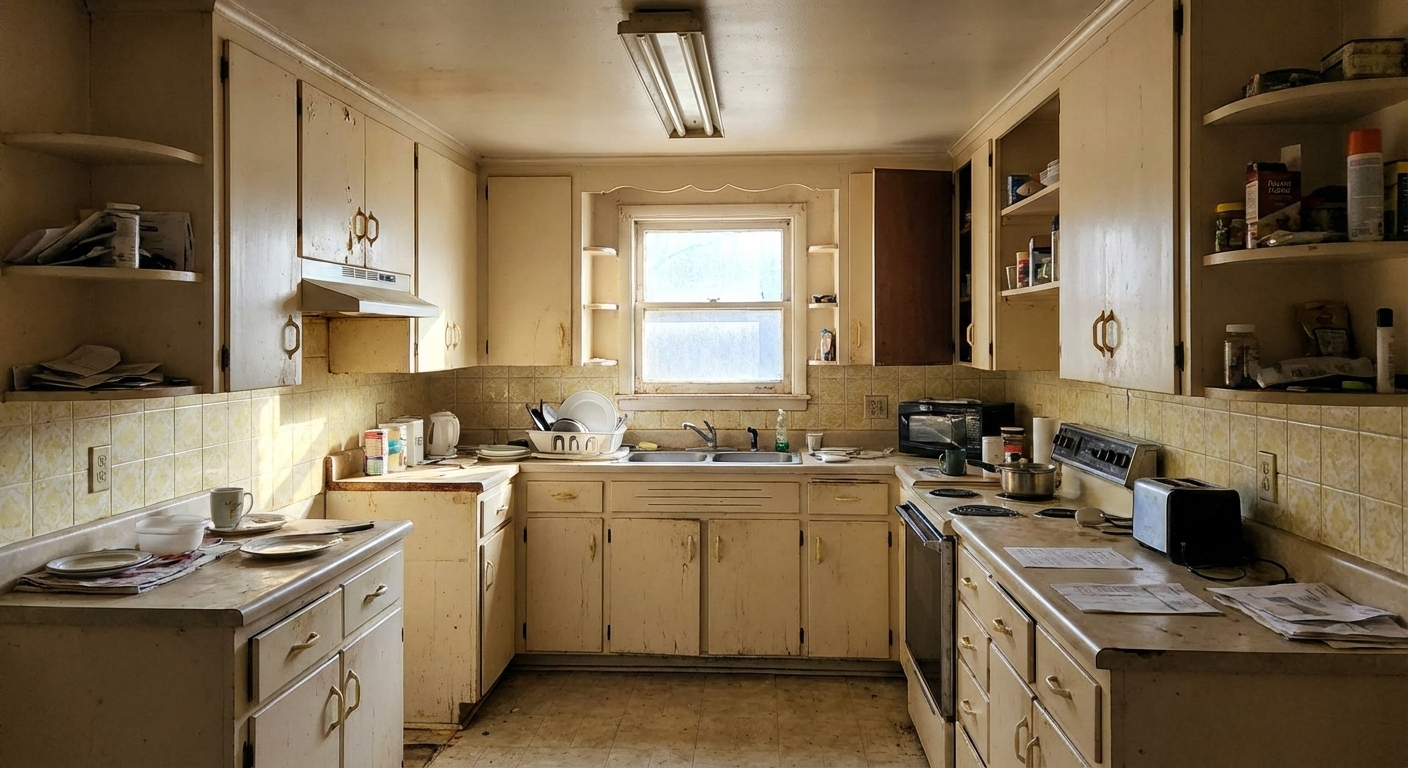
The Challenge: Before
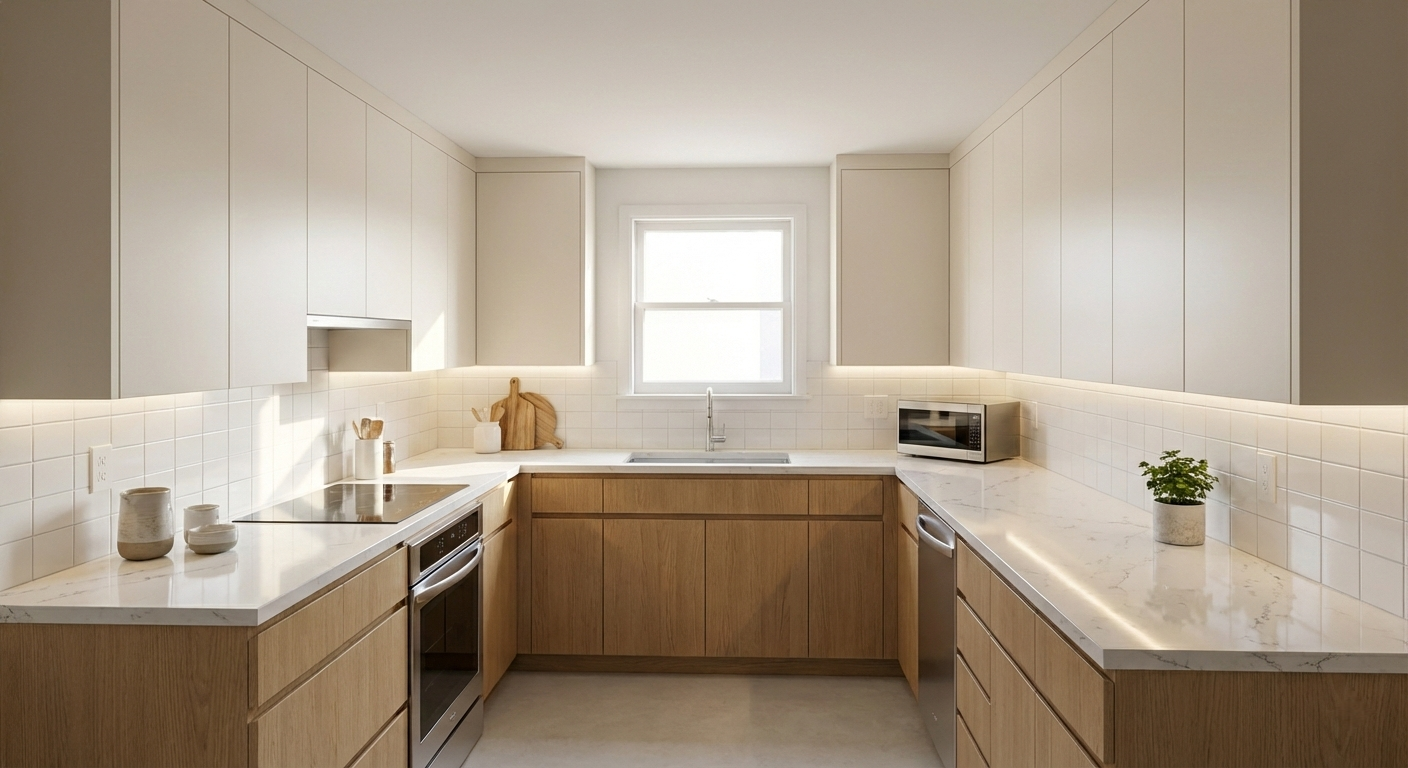
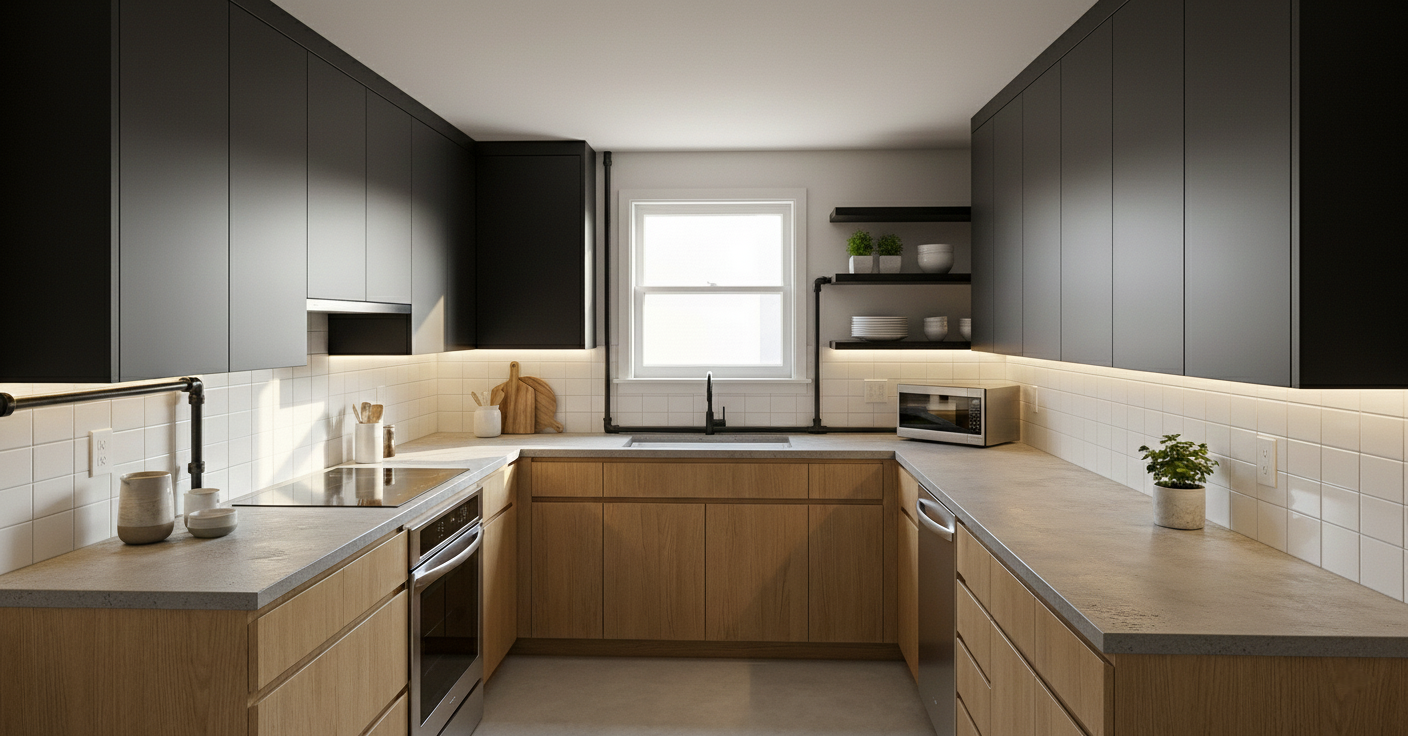
The Transformation: After (AI Generated)
Why Kitchen Design Is Harder Than It Looks
Kitchen design comes with unique challenges. Unlike other rooms, a kitchen must balance functionality, storage efficiency, lighting, and aesthetics all at once. A small mistake in layout or spacing can lead to long-term inconvenience.
Traditionally, homeowners rely on interior designers to solve these problems. While effective, this approach is often expensive, time-consuming, and restrictive. Design iterations take days or weeks, and experimentation is limited by cost and availability.
Lighting and storage are two of the most overlooked issues. Poor lighting can make a kitchen feel cramped, while inefficient storage wastes valuable space. These problems are difficult to fix once construction begins, which is why visualization before renovation is critical.
What Is an AI Kitchen Designer?
An AI kitchen designer is a digital tool that uses artificial intelligence to redesign kitchens based on real photos. It functions like a virtual interior designer, allowing users to generate realistic kitchen designs in seconds.
You may also see this referred to as a kitchen designer AI or AI kitchen redesign tool. These terms all describe the same concept: using AI to visualize kitchen transformations before any physical work begins.
The process is simple:
Step 1: Upload a real photo of your kitchen.
Step 2: Describe your style or select a preset
design.
Step 3: Let the AI generate kitchen redesign
options.
Step 4: Review, refine, and iterate as needed.
Step 1: Upload a Real Kitchen Photo
Start by uploading a clear photo of your kitchen taken from a good angle. Accurate visuals help the AI understand layout, proportions, and spatial constraints.
Step 2: Describe Your Desired Changes
This step has the biggest impact on results. You can describe specific changes such as modern cabinets, better lighting, or improved storage. Alternatively, you can select from predefined kitchen design styles.
Step 3: AI Generates the Kitchen Redesign
Once submitted, the AI kitchen designer processes your input and generates realistic redesign concepts. Multiple variations can be created to compare layouts, finishes, and lighting options.
Step 4: Review and Iterate
Review the generated designs, make adjustments, and regenerate as needed. Iteration takes seconds instead of days, allowing rapid experimentation without added cost.
AI Kitchen Designer vs Traditional Kitchen Designer
Below is a direct comparison between AI-powered kitchen design tools and traditional kitchen designers:
Cost: - AI Kitchen Designer: Low or minimal cost - Traditional Designer: High consultation and design fees Speed: - AI Kitchen Designer: Results in seconds - Traditional Designer: Days or weeks per iteration Iterations: - AI Kitchen Designer: Unlimited experimentation - Traditional Designer: Limited by time and budget Visualization: - AI Kitchen Designer: Instant before-and-after previews - Traditional Designer: Static mockups or drawingsBenefits of Using AI for Kitchen Design
- Instant before-and-after kitchen previews
- Experiment with modern, minimal, or luxury kitchen styles
- Optimize small kitchens for storage and layout
- No long-term commitment or upfront investment
These advantages make AI kitchen redesign tools ideal for both planning and inspiration.
AI Kitchen Design Trends for 2026
Kitchen design in 2026 focuses on simplicity, efficiency, and intelligent use of space. AI-generated designs reflect these emerging trends with high accuracy.
- Handle-less cabinets and seamless surfaces
- Neutral and earthy color palettes
- Smart storage and hidden compartments
- Open layouts with better lighting distribution
Who Should Use an AI Kitchen Designer?
AI kitchen design tools are useful for a wide range of users:
- Homeowners planning renovations
- Renters exploring temporary design ideas
- Realtors staging properties visually
- Interior designers generating fast concept previews
Regardless of experience level, AI kitchen designers reduce uncertainty and improve decision-making before renovation begins.