11 Best AI Paint Visualizer Free Online Tools in 2026
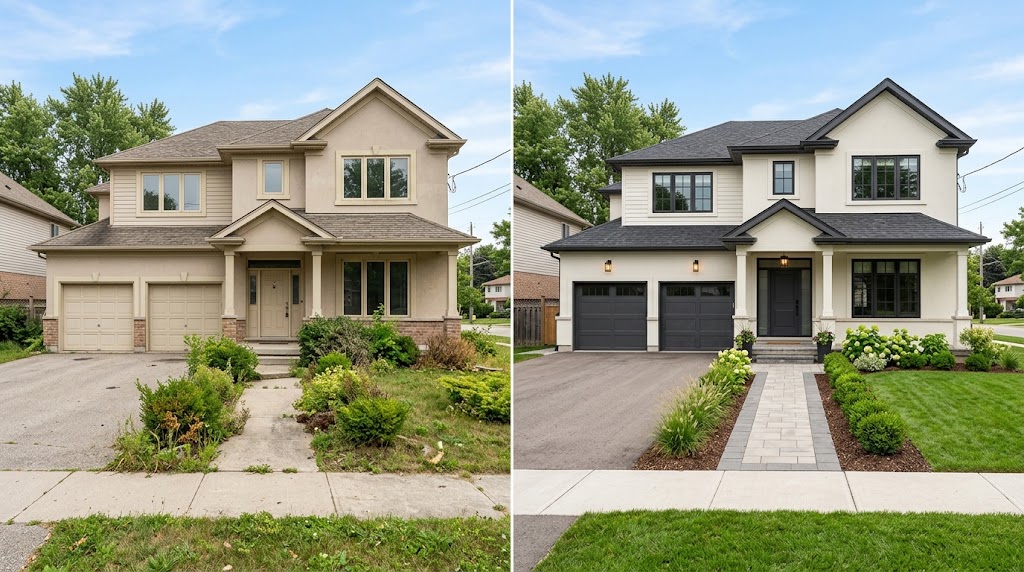
Article Contents
- Quick Comparison: Best Free Online AI Paint Visualizers
- 1. HouseGPTs AI Paint Designer — Best Overall for AI Paint Visualization
- Key Features
- How to Use HouseGPTs as a Free AI Paint Color Visualizer
- Why Choose HouseGPTs?
- 2. Sherwin-Williams ColorSnap Visualizer — Best for Sherwin-Williams Paint Colors
- Key Features
- Is Sherwin-Williams ColorSnap Free?
- 3. Benjamin Moore Personal Color Viewer — Best for Benjamin Moore Paint Colors
- Key Features
- How Can It Help with Exterior Paint?
- 4. BEHR ColorSmart and Paint Your Place — Best for BEHR Paint Colors
- Key Features
- Is BEHR a Free AI Paint Visualizer?
- 5. Dulux Visualizer — Best for Dulux Paint Color Planning
- Key Features
- Can You Use Dulux Visualizer for Exterior Paint?
- 6. Remodel AI — Best for AI-Powered Home Color Transformations
- Key Features
- What Should You Know Before Using It?
- 7. RoomGPT — Best for AI Room Redesign Inspiration
- Key Features
- Is RoomGPT Suitable for Exact Paint Matching?
- 8. Paint Tester — Best for Simple Wall Recoloring
- Key Features
- When Should You Use a Paint Testing App?
- 9. Renoworks — Best for Exterior Renovation Visualization
- Key Features
- Is Renoworks Completely Free?
- 10. HOVER — Best for Exterior Planning and Home Measurements
- Key Features
- Is HOVER the Right Tool for Choosing Paint?
- 11. Brick&batten — Best for Professional Exterior Color Advice
- Key Features
- Is Brick&batten Free?
- Best Free AI Paint Visualizer for Exterior House Colors
- Which Tool Should You Choose?
- How to Use an AI Paint Visualizer Free Online
- Step 1: Take a Clear Photograph
- Step 2: Upload Your Photo
- Step 3: Select a Paint Color
- Step 4: Generate or Apply the Color
- Step 5: Compare Different Versions
- Step 6: Confirm the Real Paint Color
- Best AI Exterior House Paint Color Ideas to Try
- 1. White Exterior with Black Trim
- 2. Beige Exterior with Brown Accents
- 3. Light Gray Exterior with Charcoal Details
- 4. Sage Green with Cream Trim
- 5. Cream Exterior with a Dark Front Door
- 6. Blue-Gray Exterior with White Trim
- Tips for Getting Better Results from an AI Paint Color Visualizer
- Use Natural Lighting
- Keep the Existing Architecture
- Test the Trim Separately
- Compare Warm and Cool Undertones
- Do Not Rely on AI for Exact Color Matching
- AI Paint Visualizer vs. Traditional Paint Color Apps
- Final Verdict: Which Free AI Paint Visualizer Should You Try?
11 Best AI Paint Visualizer Free Online Tools in 2026
Choosing the right paint color can completely transform a home, but selecting a shade from a small paint swatch is not always easy. An AI paint visualizer free online tool lets you preview different colors on your actual walls, rooms, or house exterior before buying paint. Instead of guessing how white, beige, gray, green, or charcoal will look, you can upload a photo and explore different color combinations digitally.
The best free AI paint visualizer tools help homeowners experiment with interior wall colors, exterior house paint, front doors, kitchen cabinets, trim, and other surfaces. Some use artificial intelligence to recolor an entire photograph automatically, while others let you select individual surfaces and apply colors from a specific paint brand.
In this guide, we compare 11 of the best AI paint visualizer tools available in 2026, including free online options for interior walls and exterior house painting. You will learn which tools work with your own photos, which are useful for matching paint brands, and how to choose the right visualizer for your next home improvement project.
If you want to see how a new color could look on your own home, start with HouseGPTs AI Paint Designer, which lets you upload a photo and explore paint colors on real surfaces.
Quick Comparison: Best Free Online AI Paint Visualizers
Tool | Best For | Photo Upload | Free Access |
|---|---|---|---|
Interior and exterior paint previews | Yes | 2 free designs | |
2. Sherwin-Williams ColorSnap Visualizer | Sherwin-Williams paint colors | Supported | Free tool |
3. Benjamin Moore Personal Color Viewer | Benjamin Moore color combinations | Supported | Free tool |
4. BEHR ColorSmart / Paint Your Place | BEHR paint colors for rooms | Yes | Free tool |
5. Dulux Visualizer | Dulux color selection | Features vary by region | Free options |
6. Remodel AI | AI-powered home color transformations | Yes | Limited free access may vary |
7. RoomGPT | AI room redesign and color inspiration | Yes | Access and limits may vary |
8. Paint Tester | Manual wall recoloring | Supported by app | Free and paid features vary |
9. Renoworks | Exterior renovation visualization | Supported through available products | Free access varies |
10. HOVER | Exterior visualization and home measurements | Photo-based workflows | Features and pricing vary |
11. Brick&batten | Professional exterior color planning | Project-dependent | Primarily paid services |
Important: Free access, image-generation credits, regional availability, and account requirements can change. Check each provider's current terms before starting a project. Not every tool listed is a fully AI-powered, unlimited-free paint visualizer.
1. HouseGPTs AI Paint Designer — Best Overall for AI Paint Visualization
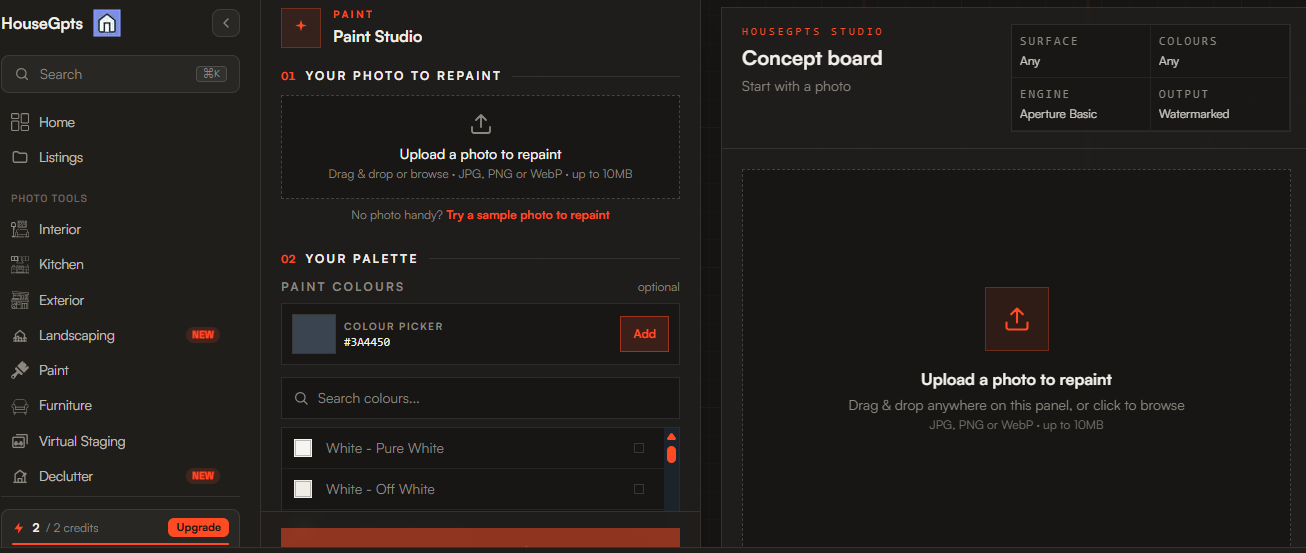
Best for: Homeowners who want to preview paint colors on their own walls, exterior surfaces, cabinets, and other paintable materials.
Try HouseGPTs AI Paint Designer
HouseGPTs AI Paint Designer is a practical option for anyone looking for an AI paint visualizer free online. Rather than relying only on sample rooms, you can upload a photograph of your existing space and explore how different paint colors may look on its actual surfaces.
The tool is designed for visualizing interior walls, exterior facades, furniture, kitchen cabinets, doors, and other paintable areas. Its AI-powered approach helps you explore color ideas without needing professional photo-editing software.
This is particularly useful when you are deciding between warm white, cream, greige, sage green, light gray, navy blue, or charcoal. You can explore different directions before purchasing paint or arranging a painting service.
Key Features
Upload your own room or house photograph.
Preview colors on interior walls and exterior surfaces.
Explore different color families and paint finishes.
Visualize changes to cabinets, doors, and other surfaces.
Review paint ideas in the context of your existing space.
Download generated designs according to the available plan.
HouseGPTs lists 40+ paint color families and 25+ finish types, along with two free design generations to get started without a credit card. Check the current AI Paint Designer page for the latest feature and usage details.
How to Use HouseGPTs as a Free AI Paint Color Visualizer
Open the HouseGPTs AI Paint Designer.
Upload a clear photograph of your room, wall, or house exterior.
Choose your desired color or describe the paint change you want.
Generate the design and review the result.
Compare your preferred option with other colors before making a final decision.
Why Choose HouseGPTs?
HouseGPTs is especially useful when you want to explore paint colors using your own photograph rather than relying exclusively on predefined room images. It also fits naturally into a wider home redesign workflow.
For exterior projects involving broader facade changes, you can explore the HouseGPTs AI Exterior Designer. For interior projects, the HouseGPTs AI Paint Designer is the more focused starting point.
Our verdict: A strong first option for homeowners who want to experiment with interior and exterior paint ideas through AI-generated previews.
2. Sherwin-Williams ColorSnap Visualizer — Best for Sherwin-Williams Paint Colors
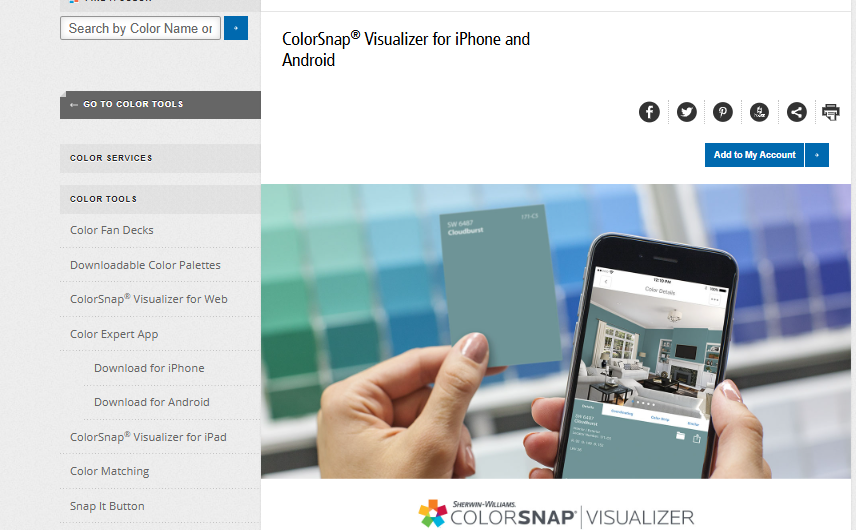
Best for: Homeowners who want to explore colors from the Sherwin-Williams paint collection.
Sherwin-Williams ColorSnap is a useful choice if you are considering paint from this established manufacturer. Instead of selecting a color from a generic palette, you can explore shades from the brand's collection and investigate how they might work in your home.
ColorSnap offers color exploration and visualization features across its available digital tools. Specific features, such as photo-based previews and mobile augmented reality, depend on the version and device you use.
Key Features
Explore Sherwin-Williams paint colors.
Browse color families and coordinated palettes.
Compare shades for walls, trim, and accent areas.
Use supported visualization features to explore color ideas.
Find colors to investigate before purchasing paint.
Is Sherwin-Williams ColorSnap Free?
ColorSnap offers free color-visualization resources, although features and availability may differ between the website and mobile app.
For an exterior painting project, it can be helpful when you have already narrowed your choices to specific Sherwin-Williams colors. You can use those shades to build a coordinated palette for siding, trim, shutters, and the front door.
Our verdict: Best for shoppers who want to work within the Sherwin-Williams color catalog rather than explore unrestricted AI-generated color transformations.
3. Benjamin Moore Personal Color Viewer — Best for Benjamin Moore Paint Colors
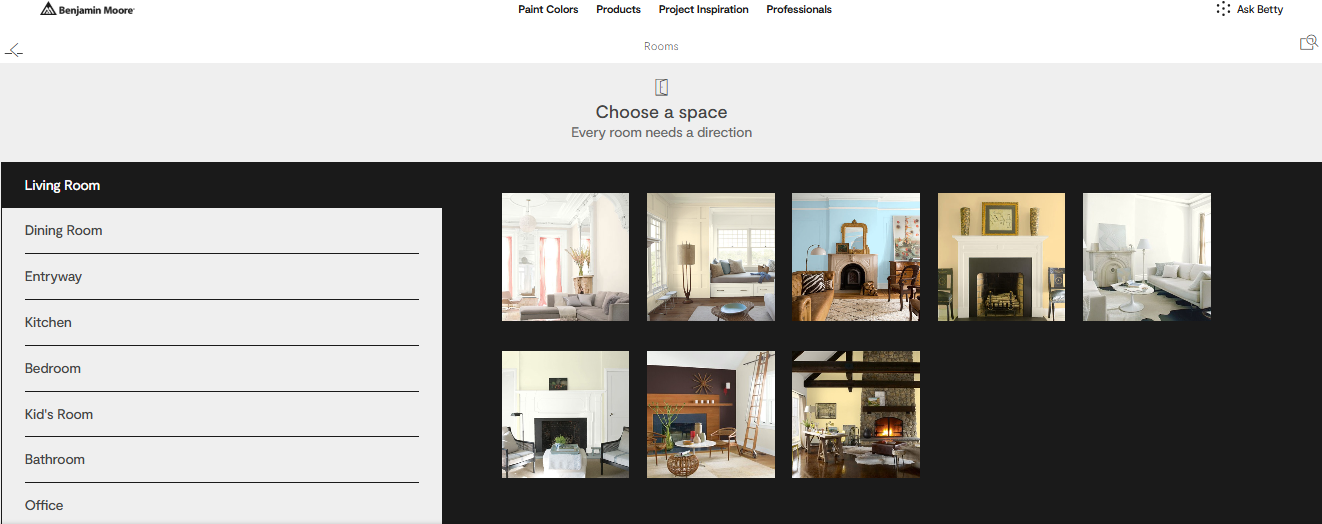
Best for: Homeowners comparing Benjamin Moore colors for interior walls and exterior surfaces.
Benjamin Moore's Personal Color Viewer is designed to help users explore paint colors in visual settings before making a purchase. It is especially helpful if you want to compare several shades from the company's catalog rather than choose colors from a general design tool.
For example, you might compare a warm white with a cooler white, test a muted green against a neutral wall, or investigate a darker trim color alongside a light exterior.
Key Features
Explore Benjamin Moore's paint collection.
Compare different colors and coordinated schemes.
Preview colors in supported room or photo workflows.
Investigate interior and exterior color combinations.
Narrow down options before purchasing sample pots.
How Can It Help with Exterior Paint?
Exterior color selection involves more than the main wall color. Your roof, stonework, windows, landscaping, and neighboring buildings can all influence how a shade looks.
A color viewer helps you explore potential combinations, particularly when choosing between white siding, beige walls, gray exteriors, dark shutters, and contrasting trim.
Our verdict: A useful free option for homeowners who have decided to use Benjamin Moore paint and want to compare its specific shades.
4. BEHR ColorSmart and Paint Your Place — Best for BEHR Paint Colors
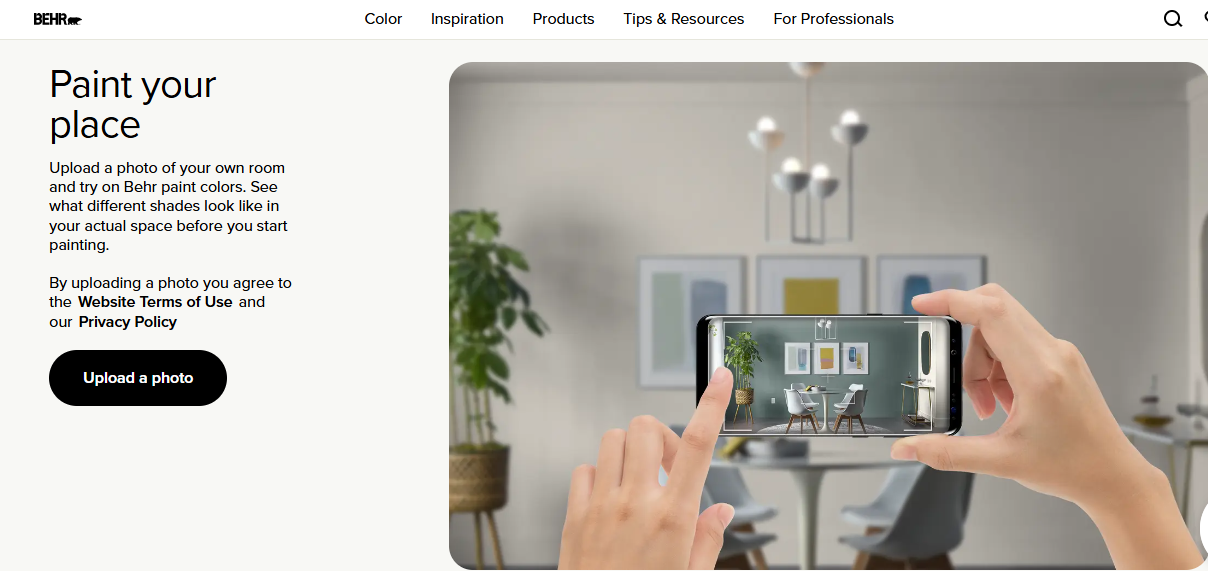
Best for: Homeowners who want to visualize colors from BEHR's paint range.
BEHR provides online color-selection and visualization resources that help users explore how its paint colors may look in rooms or on uploaded photographs. Its Paint Your Place functionality is particularly relevant when you want to preview BEHR colors in your existing space.
You can use the tool to investigate neutral wall colors, brighter accent walls, kitchen colors, and other interior painting ideas.
Key Features
Explore the BEHR paint color collection.
Upload your own photo through supported visualization features.
Preview colors in selected room settings.
Compare different shades before choosing paint.
Explore color combinations for interior projects.
Is BEHR a Free AI Paint Visualizer?
BEHR provides free online color visualization, but its workflow is not necessarily the same as a generative AI tool. Depending on the feature, you may need to select surfaces or colors manually.
This distinction matters if you want an automatic redesign rather than a traditional paint-color preview.
Our verdict: A practical choice for homeowners who prefer BEHR paint and want to experiment with real product colors before buying.
5. Dulux Visualizer — Best for Dulux Paint Color Planning
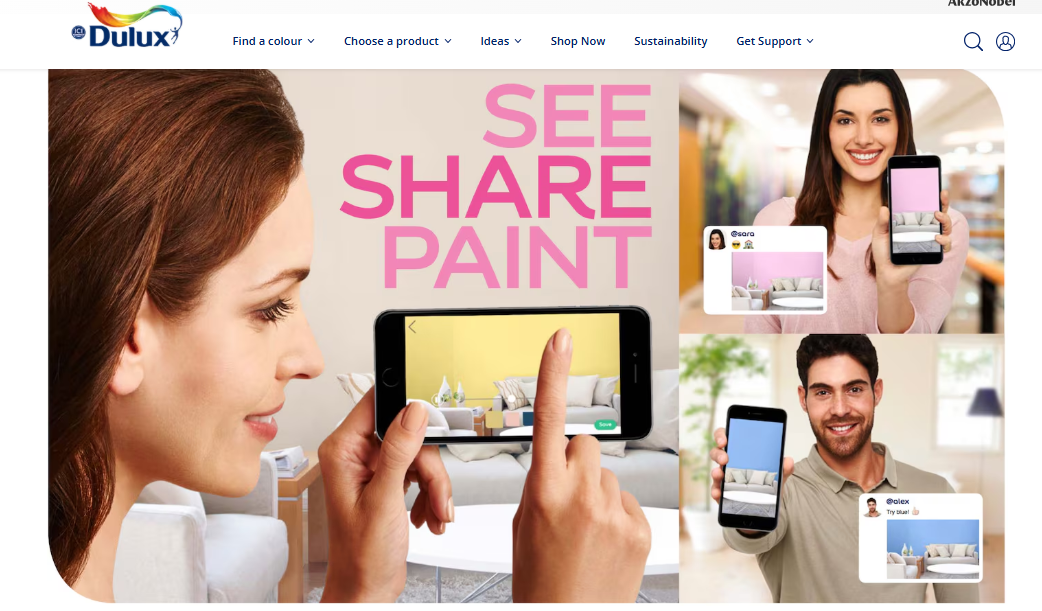
Best for: Homeowners who use Dulux paint and want to explore colors before decorating.
Dulux Visualizer is designed to make paint selection easier by allowing users to explore colors in a room context. Its available functions can vary by country, app version, and device.
For interior projects, it can help you compare neutral shades, accent walls, and coordinated colors for living rooms, bedrooms, kitchens, and hallways.
Key Features
Browse Dulux paint colors.
Explore coordinated color palettes.
Preview paint ideas using supported visualization features.
Compare colors for different rooms.
Investigate options before purchasing paint.
Can You Use Dulux Visualizer for Exterior Paint?
Its usefulness for exterior projects depends on the available local version and supported visualization functions. Before relying on it for an entire house exterior, confirm that your version supports the type of photo or surface you want to change.
If you need to redesign an entire facade from a photograph, a dedicated AI exterior design tool may provide a more suitable workflow.
Our verdict: Worth considering if you already use Dulux paint, particularly for color selection and interior decorating.
6. Remodel AI — Best for AI-Powered Home Color Transformations
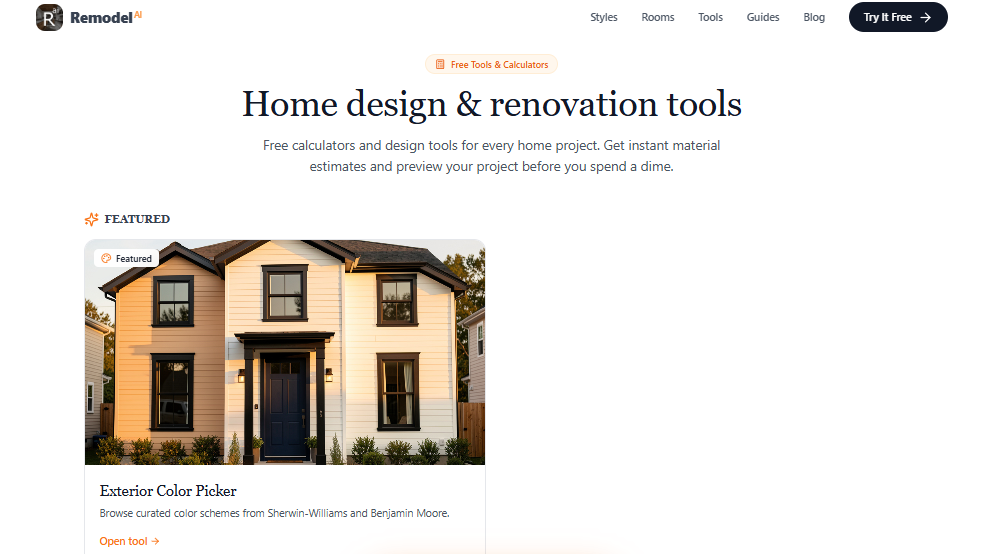
Best for: Users who want AI-generated room and exterior design concepts from photographs.
Remodel AI focuses on transforming photos of existing spaces into alternative design concepts. Depending on the available workflow, you can explore changes to colors, finishes, and broader design elements.
This makes it relevant to people searching for a free online AI paint visualizer tool, especially when they want to see a more substantial visual transformation than a simple color overlay.
Key Features
Upload photographs of existing spaces.
Generate AI-assisted redesign concepts.
Explore different interior and exterior appearances.
Compare alternative design directions.
Use visual concepts to guide renovation planning.
What Should You Know Before Using It?
AI redesign tools may change more than the requested paint color. Depending on the prompt and image, they may alter materials, lighting, architectural details, or surrounding elements.
If you want to keep your current house design intact, specify that the windows, roof, doors, landscaping, and structural layout should remain unchanged.
Free generations and account restrictions may change, so review the current offer before starting.
Our verdict: A useful option for creative AI redesigns, especially when you want to explore several visual directions from one photo.
7. RoomGPT — Best for AI Room Redesign Inspiration
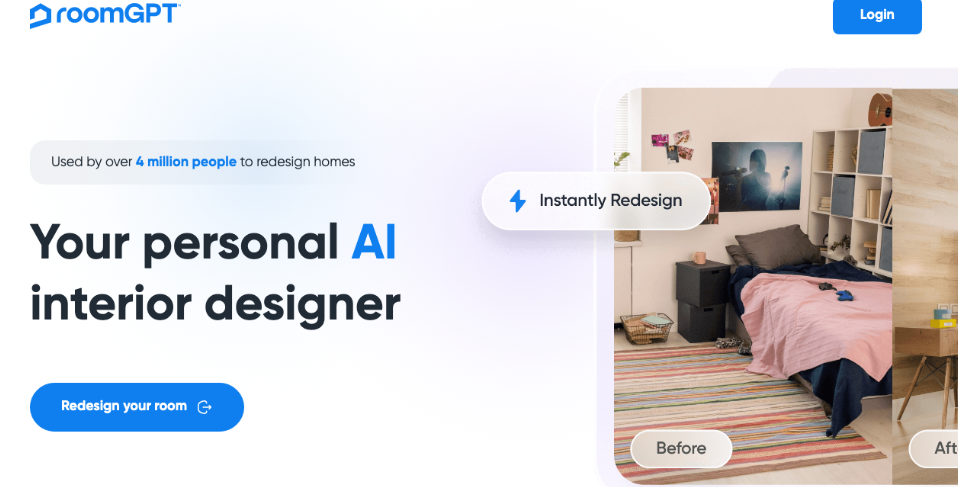
Best for: Homeowners who want to explore interior design ideas and see how a room could look in a different style.
RoomGPT is known for its photo-based AI room redesign approach. Rather than functioning solely as a paint-brand color selector, it can help users explore alternative interior appearances.
For example, you might want to see a living room with lighter walls, a bedroom with muted green tones, or a space with a more contemporary neutral palette.
Key Features
Upload a room photograph.
Generate alternative room-design concepts.
Explore different visual styles.
Compare possible wall colors as part of a redesign.
Use generated images as inspiration for a renovation.
Is RoomGPT Suitable for Exact Paint Matching?
Not necessarily. A generative room redesign can be useful for exploring ideas, but it may change furniture, materials, lighting, or other details alongside the wall color.
If you need to preview a specific manufacturer's paint code or make a controlled exterior-only color change, a dedicated paint visualizer may be a better fit.
Our verdict: Best for general room inspiration rather than precise paint-code matching.
8. Paint Tester — Best for Simple Wall Recoloring
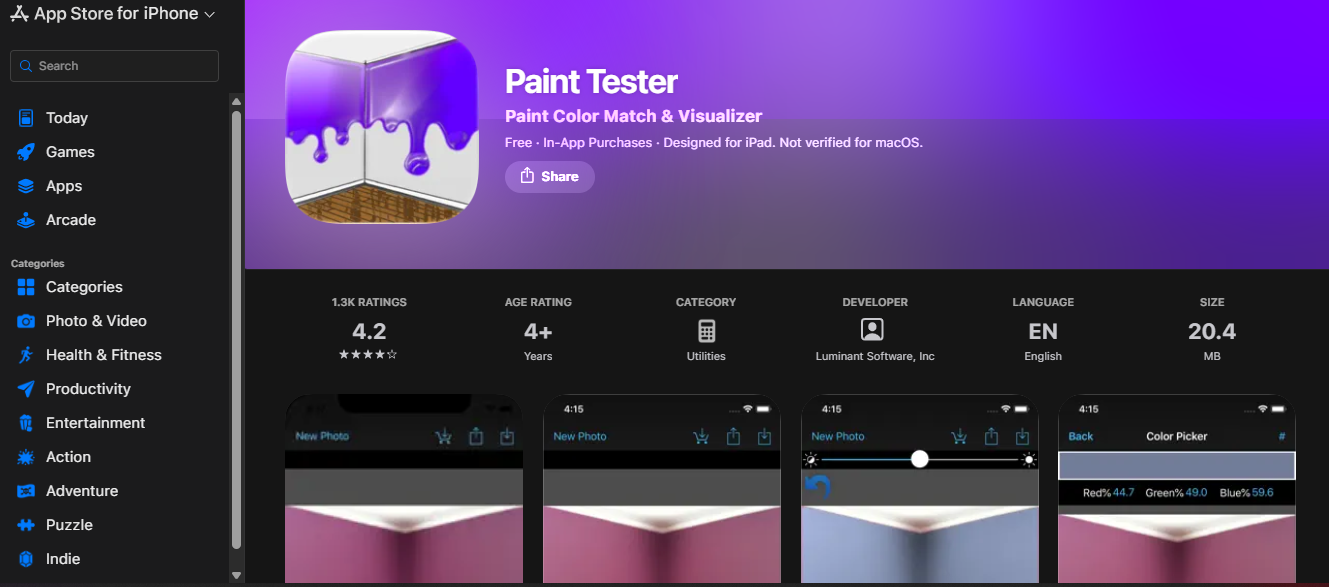
Best for: Users who want to test different wall colors without undertaking a complete AI room redesign.
Paint Tester is a category of photo-based painting apps that let users apply colors to selected areas of a photograph. The available features depend on the specific app and platform.
Unlike generative AI redesign tools, paint-testing workflows often focus on changing the selected surface while keeping the rest of the photograph largely intact.
Key Features
Work with photographs of existing rooms.
Apply different colors to selected wall areas.
Compare multiple wall-color options.
Explore accent-wall ideas.
Use simple visual editing instead of advanced design software.
When Should You Use a Paint Testing App?
A dedicated paint-testing app is helpful when you already know the room's layout and furniture will stay the same. It lets you concentrate on the paint itself instead of generating a completely different interior.
However, results depend on the app's masking and color-selection capabilities. Textured surfaces, shadows, windows, artwork, and complex edges may require manual adjustments.
Our verdict: A useful alternative for basic wall recoloring, although you should check the specific app's free features before installing it.
9. Renoworks — Best for Exterior Renovation Visualization

Best for: Homeowners and professionals exploring exterior paint alongside other facade materials.
Renoworks offers visualization solutions for home renovation and exterior products. Depending on the product and provider workflow, these tools can help users explore combinations involving siding, roofing, windows, trim, and other building materials.
This is particularly relevant when choosing exterior paint because a color that looks attractive on its own may not work well with the roof or existing stonework.
Key Features
Explore exterior renovation concepts.
Visualize available paint and material combinations.
Compare exterior design options.
Coordinate siding, trim, and other finishes where supported.
Support renovation discussions with visual examples.
Is Renoworks Completely Free?
Do not assume that every Renoworks feature is available for free to individual homeowners. Access and pricing depend on the particular visualization product and provider.
Our verdict: Worth investigating for projects where paint is only one part of a larger exterior renovation.
10. HOVER — Best for Exterior Planning and Home Measurements
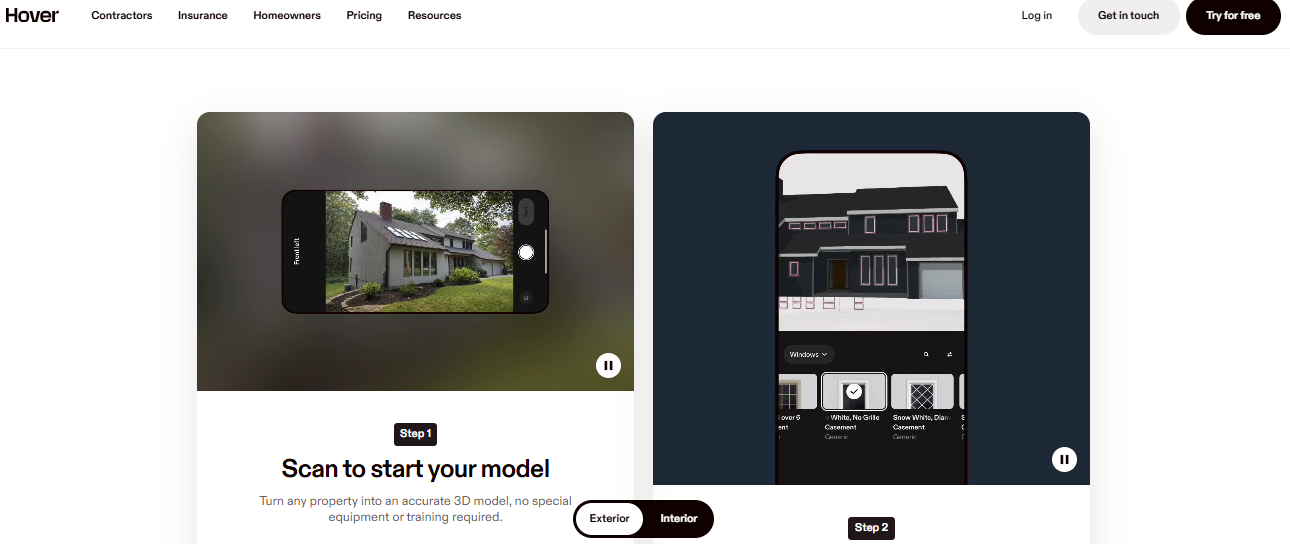
Best for: Homeowners and contractors who need photo-based exterior documentation alongside renovation planning.
HOVER focuses on creating useful exterior property information from photographs. Its workflows can support exterior renovation projects where measurements, building details, and material planning matter.
It is not simply a free AI paint color generator, so it serves a different purpose from tools that automatically recolor an uploaded house photograph.
Key Features
Create exterior property models from supported photographs.
Support measurement and project-planning workflows.
Help contractors evaluate exterior renovation requirements.
Assist with planning siding, roofing, and other building work.
Support visualization through applicable products and integrations.
Is HOVER the Right Tool for Choosing Paint?
If your primary goal is to preview ten different exterior paint colors in a few minutes, a dedicated paint visualizer may be easier.
HOVER becomes more relevant when your project also involves measurements, estimating, exterior materials, or contractor coordination.
Our verdict: Best for practical exterior project planning rather than casual, free paint experimentation.
11. Brick&batten — Best for Professional Exterior Color Advice
Best for: Homeowners who want professional guidance when selecting an exterior color scheme.
Brick&batten provides exterior design services that help homeowners explore changes to their home's appearance. Its approach is different from an instant, unlimited, free AI paint visualizer because professional design packages may involve a paid service.
This can be useful when you want help coordinating multiple exterior elements rather than simply recoloring the walls.
Key Features
Exterior-focused design concepts.
Guidance on coordinated color schemes.
Visual recommendations for different home styles.
Consideration of siding, trim, shutters, and other exterior elements.
Design support for planning a more comprehensive facade update.
Is Brick&batten Free?
It is primarily a paid exterior design service. Check the provider's current website for any available previews or offers before committing to a project.
Our verdict: Best for homeowners who want a more guided exterior design process and are prepared to consider a paid service.
Best Free AI Paint Visualizer for Exterior House Colors
If your main goal is to change the color of your house exterior, focus on tools that can work with a photograph of your actual property.
An exterior paint visualizer should help you evaluate the main wall color alongside the trim, roof, shutters, front door, and surrounding landscape. This is more useful than looking at an isolated paint swatch because these elements influence the overall appearance of your house.
Here are the most relevant options for different exterior painting needs.
Exterior Painting Goal | Tool to Consider | Why It Helps |
|---|---|---|
AI-generated exterior color concepts | Explore paint changes on your own photo | |
Broader facade redesign | Explore architectural styles and exterior materials | |
Sherwin-Williams color selection | ColorSnap Visualizer | Explore colors from the brand's catalog |
Benjamin Moore color selection | Personal Color Viewer | Compare colors from the brand's collection |
BEHR color selection | ColorSmart / Paint Your Place | Preview available BEHR paint colors |
Professional exterior guidance | Brick&batten | Explore a more guided design service |
Which Tool Should You Choose?
Choose a photo-based AI paint visualizer when you want to see your own home in a different color. Choose a manufacturer visualizer when you want to select an exact shade from a specific paint collection.
If you want to change more than paint, such as the siding material, facade style, or exterior finishes, consider a dedicated exterior design tool.
For example, HouseGPTs provides separate tools for paint visualization and broader exterior redesign, allowing you to choose a workflow that matches your project.
How to Use an AI Paint Visualizer Free Online
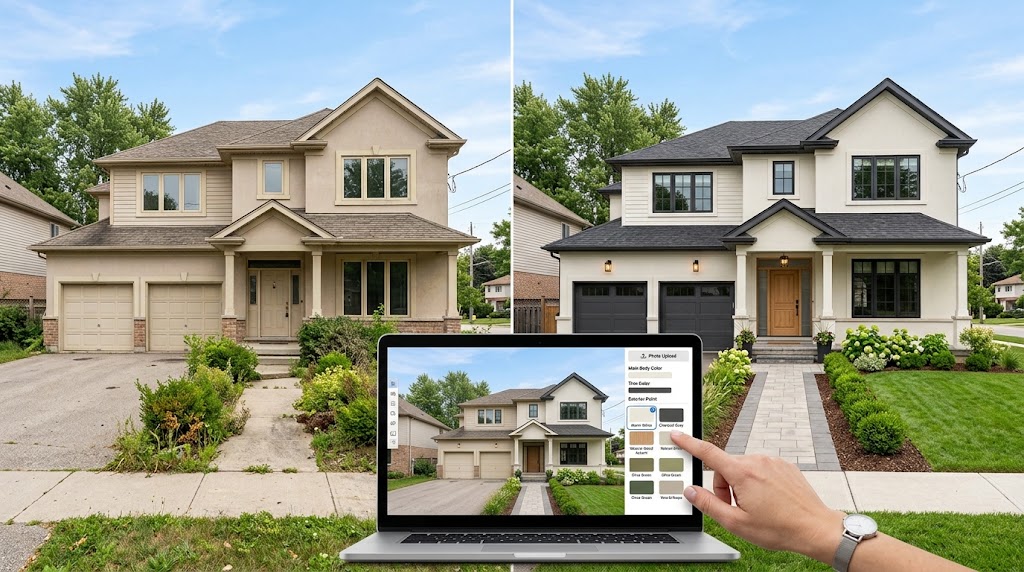
Most photo-based paint visualizers follow a straightforward process. The exact steps vary by platform, but the general workflow is similar.
Step 1: Take a Clear Photograph
Photograph the room or exterior you want to repaint. Use natural daylight when possible, and make sure the relevant surfaces are visible.
For an exterior project, a front-facing photograph can help you compare the main wall color, trim, doors, and shutters.
Step 2: Upload Your Photo
Open your selected AI paint visualizer and upload the image if photo uploads are supported.
Some tools provide predefined rooms instead, so check whether the tool works with your own photograph before starting.
Step 3: Select a Paint Color
Choose a color family or describe the shade you want to test. Common options include:
Warm white and off-white
Beige and greige
Light gray and charcoal
Sage green and olive
Navy blue and slate blue
Cream and taupe
Black or dark brown accents
For an exterior, you can also explore combinations such as white walls with black trim or beige siding with a dark front door.
Step 4: Generate or Apply the Color
Depending on the tool, the color may be applied automatically by AI or selected manually on the relevant surfaces.
Review the image carefully to see whether the paint has been applied to the intended walls, trim, doors, or exterior materials.
Step 5: Compare Different Versions
Save or compare your preferred color options. For example, test a warm white, a neutral beige, and a light gray on the same photograph.
Comparing variations side by side makes it easier to identify the look that suits your home.
Step 6: Confirm the Real Paint Color
An AI preview is a visual guide, not a guarantee of the final paint color. Screen brightness, lighting, paint finish, and the existing surface can all affect the real result.
Before painting an entire room or house, test physical samples on the actual surface.
Best AI Exterior House Paint Color Ideas to Try
The right exterior paint color depends on your home's architectural style, surrounding environment, roofing, and personal preferences. A visualizer can help you compare several combinations before you make a decision.
1. White Exterior with Black Trim
White walls and black trim create a crisp, contemporary appearance. This combination works particularly well for modern homes, farmhouse-inspired designs, and properties with simple architectural lines.
Use an AI exterior paint visualizer to compare bright white, warm white, and softer off-white shades.
2. Beige Exterior with Brown Accents
Beige and brown create a warm, natural look. This combination can work well with stone details, timber finishes, and traditional architecture.
Try light beige walls with darker brown doors or trim to see whether the contrast suits your house.
3. Light Gray Exterior with Charcoal Details
Gray walls with charcoal trim can create a modern and understated exterior. Lighter gray may make the house appear softer, while darker gray can give it a stronger contemporary appearance.
A visualizer helps you compare the contrast against the roof and existing windows.
4. Sage Green with Cream Trim
Sage green offers a muted natural color that can complement gardens, mature trees, and traditional homes.
Cream trim creates a softer contrast than bright white, making this combination worth testing on cottages, suburban homes, and farmhouse-style properties.
5. Cream Exterior with a Dark Front Door
A cream exterior paired with a dark front door creates a simple focal point without requiring several competing colors.
Try dark navy, forest green, charcoal, or brown for the door while keeping the main walls neutral.
6. Blue-Gray Exterior with White Trim
Blue-gray can create a calm, classic appearance. White trim helps define windows and architectural details, particularly on homes with visible exterior molding or decorative features.
Use the visualizer to compare lighter blue-gray shades against darker slate tones.
Tips for Getting Better Results from an AI Paint Color Visualizer
The quality of your photograph and the way you describe the desired change can influence the usefulness of the final image.
Use Natural Lighting
Take your photograph during daylight when the surfaces are clearly visible. Harsh shadows, night photography, and mixed lighting can make it harder to judge the color accurately.
Keep the Existing Architecture
If you only want to change the paint, tell the AI to preserve the roof, windows, doors, furniture, and structural layout.
For example, you can use this prompt:
AI paint visualizer prompt:
"Change only the exterior wall paint to a warm off-white color. Preserve the original architecture, roof, windows, doors, landscaping, shadows, and camera angle. Keep the existing materials and textures realistic. Do not add or remove any structural elements."
Test the Trim Separately
The trim can have a major influence on the overall appearance of an exterior. Compare white, cream, gray, or charcoal trim against the main wall color.
For interior rooms, consider whether the wall color works with the existing skirting boards, door frames, and window trim.
Compare Warm and Cool Undertones
Two shades may appear similar on a paint card but look different when applied across a large surface.
Warm whites and beiges can create a softer appearance, while cool grays and blue-based whites may look cleaner or more contemporary. Use the visualizer to explore both directions.
Do Not Rely on AI for Exact Color Matching
AI-generated previews are intended to support design decisions. They do not always reproduce exact paint codes, real-world reflectance, or the precise effect of every finish.
Use manufacturer color references and physical paint samples to confirm your final selection.
AI Paint Visualizer vs. Traditional Paint Color Apps
Although these tools are often grouped, an AI paint visualizer and a traditional paint color app can work differently.
Feature | AI Paint Visualizer | Traditional Paint Visualizer |
|---|---|---|
Main purpose | Generate or simulate new appearances | Preview colors from a selected catalog |
Photo-based design | Common in photo-driven AI tools | Available in supported tools |
Automatic redesign | Often supported | Usually more limited |
Exact paint-brand colors | Depends on the tool | Often a key feature |
Manual surface selection | May be automatic or adjustable | Common in some workflows |
Best use | Exploring design possibilities | Selecting and comparing specific paint shades |
Neither approach is always better. The right choice depends on whether you want creative inspiration, an accurate brand-color reference, or a combination of both.
For example, you might use an AI tool to decide whether your home looks better in warm white or sage green, then use a manufacturer's visualizer to identify suitable products within its paint collection.
Final Verdict: Which Free AI Paint Visualizer Should You Try?
The best AI paint visualizer depends on what you want to accomplish.
For photo-based AI paint previews: Start with HouseGPTs AI Paint Designer.
For broader exterior redesigns: Explore the HouseGPTs AI Exterior Designer.
For Sherwin-Williams colors: Try ColorSnap Visualizer.
For Benjamin Moore colors: Explore Personal Color Viewer.
For BEHR colors: Use ColorSmart and Paint Your Place.
For general room inspiration: Consider RoomGPT or Remodel AI.
For professional exterior planning: Investigate Renoworks, HOVER, or Brick&batten according to your project needs.
You do not need to buy paint immediately to start planning your home's new appearance. An online paint visualizer can help you explore several possibilities, compare color combinations, and make a more informed decision before beginning your project.
If you want to test a new wall or exterior color on your own photograph, try the HouseGPTs AI Paint Designer and explore your first design options online.
Ready for Your Own AI Redesign?
Start Designing with AI →FAQs about 11 Best AI Paint Visualizer Free Online Tools in 2026
Everything you need to know
What is the best free AI paint visualizer online?
HouseGPTs AI Paint Designer is a strong option for users who want to upload their own photograph and explore new paint colors on interior or exterior surfaces. It offers two free design generations, with additional features and usage limits depending on the plan. Manufacturer tools such as Sherwin-Williams ColorSnap and BEHR's visualizer are also useful for exploring colors from specific paint collections.
Is there a free AI paint visualizer for exterior houses?
Yes. Some photo-based AI design tools let you upload a house photograph and explore exterior color changes. HouseGPTs AI Paint Designer is one option to consider, while its AI Exterior Designer is useful for broader facade redesigns. Check each tool's current free allowance and whether it supports your intended exterior workflow.
Can I upload a photo of my house and change its paint color online?
Yes, several online tools support photo uploads for paint visualization. After uploading a clear photograph, you can preview different colors using the available AI or manual visualization features. Results depend on the tool, image quality, and complexity of the surfaces.
Is an AI paint visualizer accurate?
An AI paint visualizer can provide a useful approximation of how a color might look on a surface, but it cannot guarantee an exact match. Screen settings, lighting, paint sheen, existing materials, and the rendering process can affect the result. Always test physical paint samples before committing to a large project.
Can I use an AI paint visualizer for interior walls?
Yes. Many photo-based paint visualizers can help you explore interior wall colors in bedrooms, living rooms, kitchens, offices, and other spaces. You can compare neutral shades, accent walls, and different color combinations before buying paint.
What is the best free AI paint visualizer for exterior siding?
The best choice depends on your needs. A photo-based AI tool is useful for exploring new exterior color concepts, while a manufacturer visualizer is better when you want to select a specific paint brand's colors. If you also want to change facade materials or architectural styling, a broader exterior design tool may be more appropriate.
Can an AI paint visualizer change the front door and trim?
Some tools support visualizing multiple surfaces, including doors, trim, shutters, and walls. The available controls vary by platform. For the best results, specify which surfaces should change and which must remain untouched.
Do I need to download software to use an online AI paint visualizer?
Not always. Browser-based tools can let you upload a photograph and generate a preview directly online. Some providers also offer mobile apps or desktop applications, so check the requirements of your chosen tool.
Can an AI paint visualizer show the exact paint code?
Some manufacturer tools connect color previews to their own paint catalogs. General AI design tools may generate a similar-looking color without guaranteeing an exact product match. If you need a specific paint code, confirm it through the paint manufacturer's official color information.
Can I use an AI paint visualizer before hiring a painter?
Yes. A paint visualizer can help you narrow down colors and communicate your preferences to a painter or decorator. Sharing a few reference images can make it easier to discuss the intended result, although the final appearance should still be confirmed with real paint samples.
What is the difference between an AI paint visualizer and an AI exterior designer?
An AI paint visualizer focuses primarily on changing or previewing paint colors on existing surfaces. An AI exterior designer may explore broader changes, including facade styles, cladding, materials, and other architectural features. If you only want to change the color, start with a paint visualizer. If you want a more comprehensive exterior transformation, use an exterior design tool.