House Design Software Free - AI Alternatives (2026)
Article Contents
- The Free House Design Software Reality
- Why Free Design Software Disappoints Users
- Overwhelming Complexity
- Manual Construction Time Sink
- Limited or Outdated Content Libraries
- Technical Support Gaps
- Computer-Generated Results
- Popular Free House Design Software Compared
- SketchUp Free: Professional Complexity
- Sweet Home 3D: Simplified but Still Complex
- Floorplanner: Freemium Limitations
- RoomSketcher: Limited Free Features
- Why AI Provides Better Free Alternative
- Zero Learning Curve
- Instant Results vs Hours of Manual Work
- Photorealistic vs Computer-Generated Quality
- Unlimited Styles vs Limited Catalogs
- Genuinely Free Without Restrictions
- Works on Any Device
- Getting Started with AI vs Traditional Software
- Traditional Software Learning Path
- AI Immediate Productivity Path
- Time Investment Comparison
- When to Use Traditional vs AI Design Tools
- Traditional Software Makes Sense For:
- AI Design Makes Sense For:
- The Reality Check
- Try Free AI House Design Alternative
- Related Free Design Resources
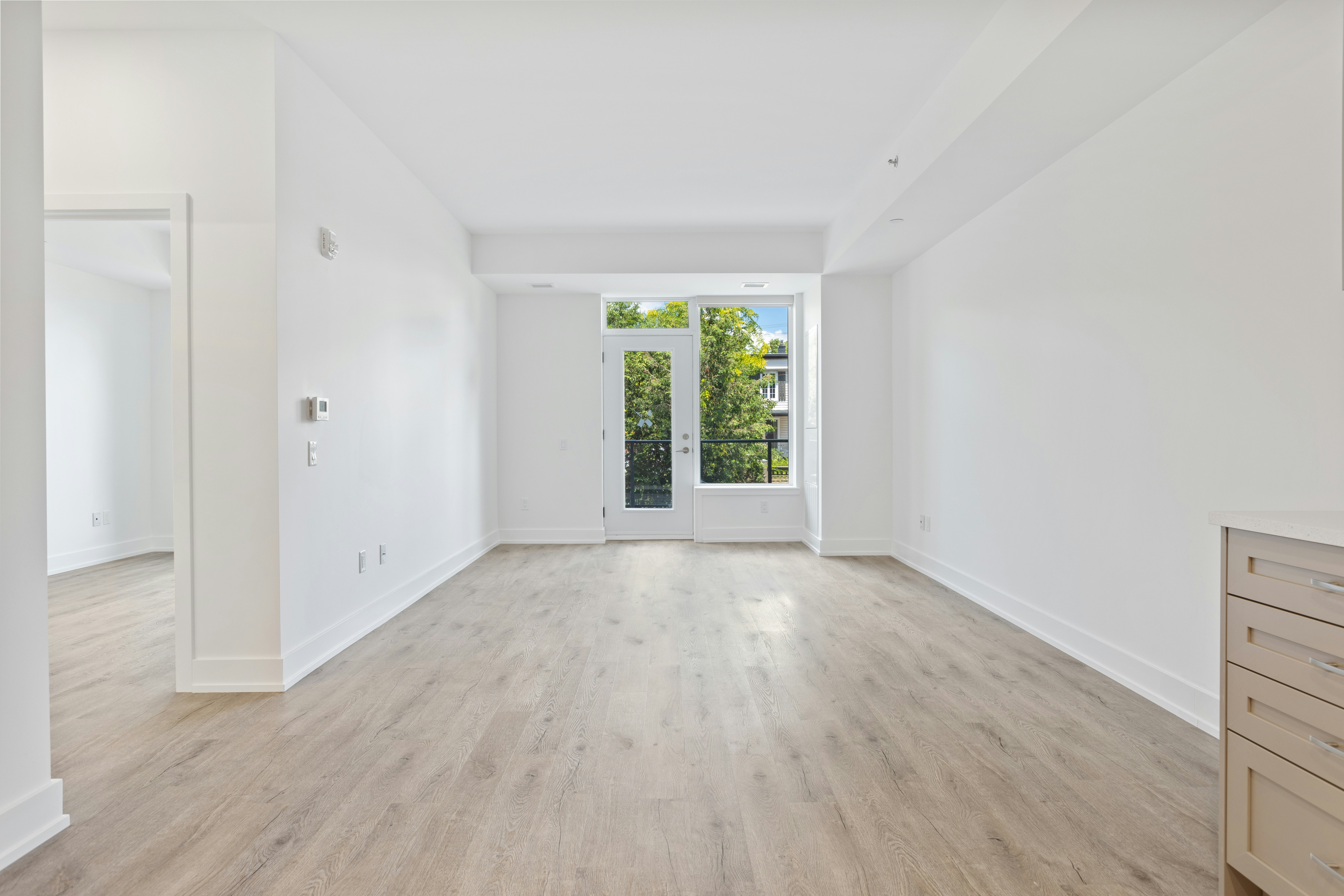
The Challenge: Before
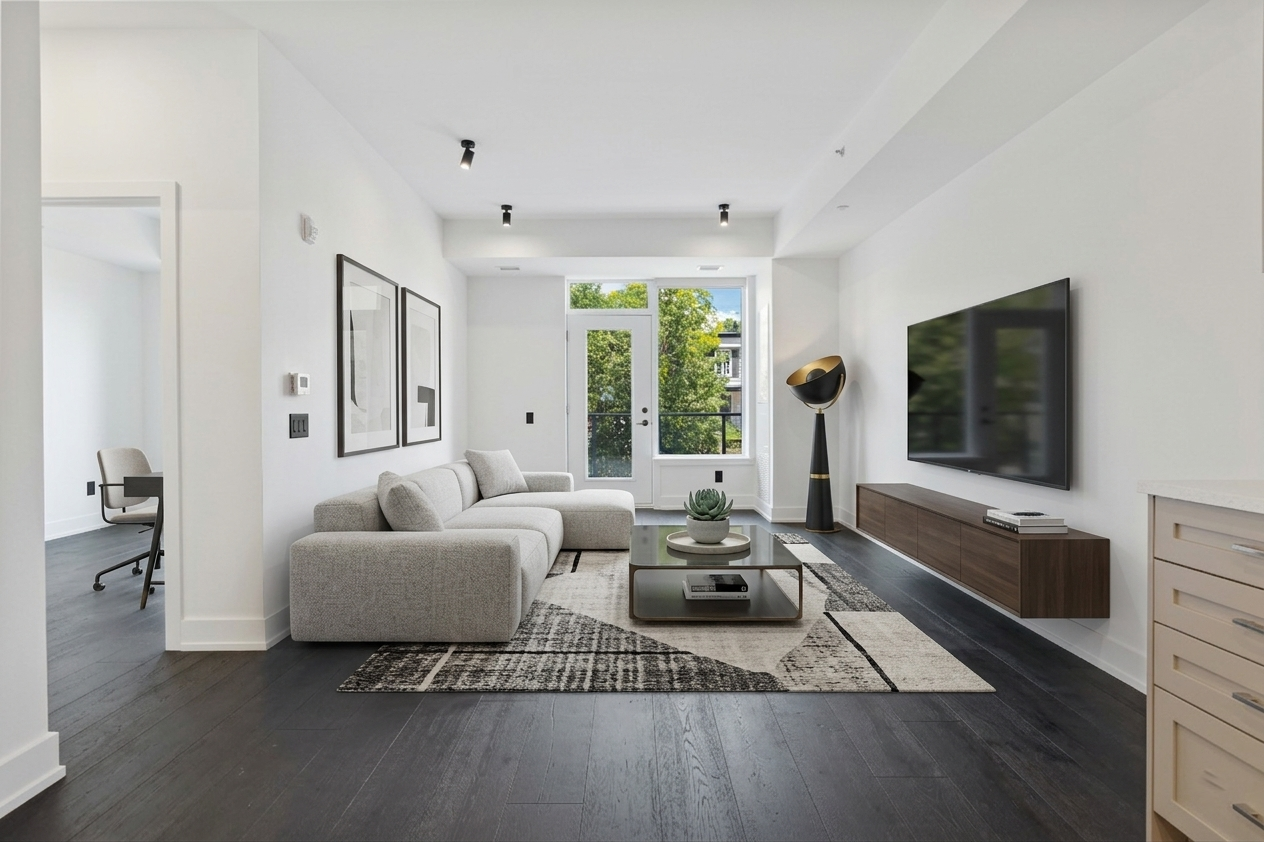
The Transformation: After (AI Generated)
House Design Software Free - AI Alternative (2026)
Free house design software traditionally means choosing between severely limited hobbyist tools lacking professional capabilities or complex architectural programs requiring extensive learning investment before basic productivity, creating frustrating middle ground where truly free options prove too simplistic for serious design work while professional-grade software demands technical expertise and time commitment most homeowners cannot justify for occasional residential visualization needs. Programs like SketchUp Free, Sweet Home 3D, and Floorplanner offer no-cost entry points but require learning 3D modeling workflows, manual room construction, furniture placement from limited catalogs, and technical drawing skills having little to do with actual interior design aesthetics but proving necessary prerequisites before seeing any useful visualizations of how your spaces could look transformed. The time investment learning free house design software often exceeds time saved versus simply hiring professionals or making educated guesses, with dozens of hours mastering technical tools producing results that still appear computer-generated rather than photorealistic despite significant effort. Modern AI technology eliminates this frustrating tradeoff by providing genuinely free house design that requires zero technical learning, no manual construction workflows, and no time investment beyond 30 seconds to upload photo and receive professional photorealistic design showing your actual spaces transformed according to your preferences without the complexity barrier excluding typical homeowners from traditional free design software that prioritizes technical capabilities over user accessibility and practical residential design needs.
The Free House Design Software Reality
Popular free house design software options share common characteristics making them accessible from cost perspective while creating significant usability barriers from complexity perspective. SketchUp Free positions as industry-standard 3D modeling tool with free web-based version but maintains professional-grade complexity requiring users to learn architectural drawing conventions, 3D space manipulation, measurement specifications, component libraries, and rendering workflows before producing basic visualizations. The learning curve spans days or weeks of tutorial watching, documentation reading, and practice sessions before basic proficiency emerges, representing substantial time investment most homeowners attempting simple residential design cannot justify or complete successfully before abandoning software as too difficult for their actual needs.
Sweet Home 3D offers simpler interface than professional CAD programs but still requires manual floor plan creation by drawing walls to scale, placing doors and windows, arranging furniture from catalogs, and generating 3D views showing designed spaces. This workflow demands spatial reasoning abilities translating overhead 2D plans into mental 3D visualization, patience for tedious manual construction processes, and tolerance for trial-and-error adjustments when initial arrangements don't work requiring rebuilding. Many users report spending 2-4 hours creating basic single-room designs after already investing time learning software basics, discovering that "free" software costs significant time without producing photorealistic results justifying effort invested in manual construction and rendering processes.
Floorplanner and similar web-based tools streamline some workflows compared to desktop CAD programs but maintain fundamental approach requiring manual room construction, furniture selection from limited catalogs, dimension management for scale accuracy, and waiting for rendering processing. Free tiers typically restrict valuable features including high-resolution exports, unlimited projects, full furniture catalogs, and advanced rendering requiring paid upgrades to access capabilities making software truly useful for real design work. This freemium model means "free" software serves primarily as extended trial encouraging upgrade purchases rather than genuinely useful free tool, with artificial limitations ensuring free tier frustrates users into paying for full functionality they thought they'd access without cost.
The rendering quality in free house design software produces computer-generated 3D graphics clearly distinguishable from real photography through artificial lighting, plastic-looking materials, and overall aesthetic reading as architectural visualization rather than convincing room photography. While technically impressive, these renders don't help users confidently judge whether designs would actually look good implemented in reality since 3D quality creates visual disconnect between virtual representation and physical execution most people struggle bridging mentally. Professional renderers achieve photorealism through extensive experience with lighting settings, material properties, and rendering parameters beyond typical user capabilities, meaning advertised quality proves achievable only by experts rather than average users downloading free software hoping for professional-quality results.
Why Free Design Software Disappoints Users
Overwhelming Complexity
Free house design software presents overwhelming interfaces with hundreds of tools, menus, options, and features designed for comprehensive architectural work but creating cognitive overload for users wanting simple residential visualization. Finding relevant functionality among extensive features requires either extensive manual reading or trial-and-error exploration, with simple operations often requiring multi-step workflows through nested menus and dialog boxes. This complexity serves professionals needing extensive capabilities but frustrates homeowners who reasonably expect residential design tools to make common tasks simple rather than requiring navigation through professional architectural feature sets to accomplish basic visualization goals most users pursue when downloading free design software.
Manual Construction Time Sink
Free software requires manual construction of every design element including room dimensions by drawing walls and specifying measurements, furniture placement by selecting items from catalogs and positioning individually, material application by choosing finishes for each surface, lighting setup by placing and configuring light sources, and camera positioning for viewing angles. This manual workflow demands 1-3 hours minimum per room design after already investing time learning software basics, with modifications requiring additional manual adjustments and re-rendering. Users often report that promised efficiency benefits don't materialize because extensive manual work required for each design exceeds time that would be spent with other approaches requiring less technical expertise and software mastery.
Limited or Outdated Content Libraries
Free software typically includes limited furniture catalogs with dated styles, restricted material options, and sparse accessory selections forcing users to either accept limited choices or invest additional time creating custom objects requiring advanced software skills. The available catalogs often feature older furniture styles not matching current design trends, generic items lacking character distinguishing real design, and inadequate variety covering different aesthetics users might want to explore. This content limitation means you're constrained by whatever happens to be included in software rather than designing freely according to your actual preferences and current style directions, creating designs that feel dated or generic despite effort invested in manual construction workflows.
Technical Support Gaps
Free software typically offers minimal technical support beyond user forums and basic documentation, leaving users largely on their own for learning workflows, troubleshooting problems, and mastering features beyond simple basics. When you struggle with specific design challenges or cannot figure out how to accomplish particular tasks, limited help resources mean extensive searching through forums hoping someone else encountered similar issues or giving up on features you cannot master independently. This support gap proves particularly frustrating when technical problems prevent progress on design projects, with no customer service assistance available for free software users expected to resolve issues themselves through community resources of variable quality and completeness.
Computer-Generated Results
Despite time invested in manual construction and rendering, free software produces results clearly appearing as computer-generated 3D graphics rather than photorealistic images resembling actual room photography. Materials look somewhat plastic or artificial, lighting appears calculated rather than natural, shadows seem wrong, and overall aesthetic distinctly reads as visualization rather than photography despite technical rendering quality. This computer-generated appearance undermines design purpose of building confident understanding how spaces would actually look transformed because renders don't convincingly show real-world outcomes, leaving uncertainty about whether designs would work as well in reality as they appear in 3D visualizations that don't quite look like actual rooms would after implementation.
Popular Free House Design Software Compared
SketchUp Free: Professional Complexity
SketchUp Free offers web-based access to industry-standard 3D modeling previously costing hundreds, making professional capabilities available without software purchase. However, professional-grade complexity remains requiring extensive learning investment mastering 3D modeling concepts, drawing workflows, component libraries, and rendering processes before productive use. The interface assumes architectural knowledge most homeowners lack, tutorials focus on professional applications rather than residential design, and workflow optimized for construction documentation rather than aesthetic visualization creates mismatch between tool capabilities and typical user needs. Most homeowners download SketchUp hoping for accessible design tool discovering they've encountered professional architectural software requiring professional-level learning commitment they cannot or will not make for occasional residential visualization.
Sweet Home 3D: Simplified but Still Complex
Sweet Home 3D provides more accessible interface than professional CAD programs with simplified floor plan drawing and furniture arrangement workflows making it easier than SketchUp for basic residential design. However, manual room construction still demands 30-60 minutes per room drawing walls and placing elements, furniture catalogs include dated styles with limited contemporary options, 3D rendering produces clearly computer-generated results rather than photorealism, and workflow still requires technical spatial reasoning beyond typical homeowner comfort levels. The simplification makes Sweet Home 3D less overwhelming than professional tools but doesn't eliminate fundamental complexity requiring time investment learning software and manual construction workflows most users find tedious and frustrating.
Floorplanner: Freemium Limitations
Floorplanner offers web-based accessibility and relatively intuitive interface compared to desktop CAD programs but implements aggressive freemium model where free tier restricts features making software truly useful. Free accounts limit project saves, restrict export resolutions making downloaded images unsuitable for printing or detailed viewing, watermark outputs discouraging sharing, and block access to full furniture catalogs and advanced rendering requiring paid subscription for practical functionality. This means "free" Floorplanner serves primarily as extended trial demonstrating capabilities while limiting actual utility, with artificial restrictions ensuring free users experience frustration encouraging upgrade purchases rather than genuinely useful free tool serving complete residential design needs.
RoomSketcher: Limited Free Features
RoomSketcher emphasizes floor plan creation with intuitive drawing tools making basic room layouts achievable relatively quickly. However, free tier severely restricts functionality including low-resolution outputs unsuitable for detailed viewing, limited project saves preventing working on multiple rooms simultaneously, watermarked exports, and restricted access to 3D visualization features requiring subscription unlock. The free version essentially provides taste of capabilities while blocking features needed for real design work, serving marketing purpose demonstrating software to encourage paid conversion rather than providing genuinely useful free tool. Users wanting actual utility must subscribe to paid plans costing $49-99 annually for features advertised as available in "free" software.
Why AI Provides Better Free Alternative
Zero Learning Curve
AI house design requires approximately 2 minutes to understand: upload room photo, select style preference, receive professional design in 30 seconds. This eliminates days or weeks learning traditional free software including tutorial watching, documentation reading, practice sessions, and gradual skill development before basic proficiency. You can immediately generate professional designs without any technical training, 3D modeling knowledge, architectural understanding, or software expertise required for traditional free programs. This accessibility makes design visualization available to literally everyone including those with zero technical aptitude, limited time for learning, or simply preferring to focus attention on other priorities rather than becoming amateur CAD operators just to see what their rooms could look like designed differently.
Instant Results vs Hours of Manual Work
Traditional free software requires 1-3 hours minimum per room including manual floor plan drawing, furniture placement and arrangement, material application, lighting configuration, camera positioning, and rendering processing. AI generates complete professional designs in 30 seconds with exploring multiple styles taking 5-10 minutes total versus traditional software requiring hours per variation discouraging comprehensive exploration. This 100-200x efficiency improvement transforms design from time-consuming technical project into quick creative exploration fitting into busy schedules rather than requiring dedicated sessions most people cannot find time for despite wanting design visualization for their spaces.
Photorealistic vs Computer-Generated Quality
Traditional free software produces 3D rendered visualizations with characteristic computer-generated appearance despite technical quality—materials looking somewhat plastic, lighting appearing artificial, overall aesthetic clearly reading as visualization rather than photography. AI generates photorealistic images appearing like professional interior photography making it dramatically easier to visualize actual implementation, feel emotionally connected to designs, and confidently make real-world decisions based on realistic rather than abstract representations. This quality difference proves crucial because design visualization purpose involves building confident understanding of how spaces would actually look transformed, goal that unconvincing computer-generated renders undermine despite technical sophistication or hours invested in manual construction producing them.
Unlimited Styles vs Limited Catalogs
Traditional free software constrains you to included furniture catalogs and object libraries often featuring dated styles, limited variety, or generic items not matching current design trends or your specific preferences. AI generates designs from unlimited style understanding rather than rearranging preset catalog items, meaning you're never constrained by what catalogs happen to include. The generative approach provides flexibility that catalog-based systems cannot match, creating designs reflecting any established aesthetic regardless of whether specific objects exist in manufacturer databases or software libraries that determine what traditional programs can show you.
Genuinely Free Without Restrictions
Traditional "free" software implements freemium models severely restricting useful features including high-resolution exports, unlimited projects, full catalogs, and advanced rendering requiring paid subscriptions accessing capabilities making software truly practical for real design work. AI provides genuinely free service including professional photorealistic designs without watermarks, high-resolution downloads suitable for implementation planning and sharing, access to all design styles and room types, and ability to design multiple spaces using included free designs strategically. No artificial limitations forcing upgrades, no watermarks discouraging use, no feature restrictions preventing practical utility—actually free rather than extended trial disguised as free software encouraging eventual payment.
Works on Any Device
Traditional free software often requires specific operating systems, minimum computer specifications, capable graphics hardware, or desktop environments limiting accessibility for users with older computers, mobile-only households, or Chromebooks and tablets. AI works through simple web browser on any device including smartphones, tablets, Chromebooks, old computers, or any internet-connected device without software installation, downloads, or hardware requirements. This universal accessibility makes design visualization available regardless of technical resources ensuring everyone can access professional-quality design tools rather than being excluded by hardware limitations preventing use of traditional software requiring capable computers many households lack.
Getting Started with AI vs Traditional Software
Traditional Software Learning Path
Traditional free house design software requires systematic learning progression: (1) Watch tutorial series understanding basic interface and navigation (2-4 hours) (2) Read documentation learning floor plan drawing, furniture placement, and rendering (3-6 hours) (3) Practice creating simple rooms building proficiency (4-8 hours) (4) Gradually learn advanced features over weeks or months (10-20 hours) (5) Maintain skills through regular use preventing forgetting between sessions. This learning investment totaling 20-40 hours minimum before basic productivity makes sense for professionals using software daily but represents terrible value proposition for homeowners wanting occasional residential visualization not justifying becoming amateur CAD operators for simple design exploration most could accomplish through other means without extensive technical training.
AI Immediate Productivity Path
AI house design enables immediate productivity: (1) Visit website through any browser (30 seconds) (2) Upload room photo from phone or computer (30 seconds) (3) Select style preference from options (30 seconds) (4) Receive professional design showing transformed space (30 seconds) (5) Download design as implementation reference (30 seconds). Total time from starting to having useful design visualization: 2-3 minutes including time uploading photo and evaluating results. No tutorials, no documentation, no practice needed, no skills to maintain—immediate access to professional-quality design visualization without any learning investment making design accessible to literally everyone regardless of technical aptitude, available time, or willingness to invest in software mastery.
Time Investment Comparison
Traditional software total time investment: 20-40 hours learning basics + 1-3 hours per room design + ongoing time remembering workflows = 25-50 hours for 3-5 room designs accounting for learning and execution. AI total time investment: 2 minutes learning (essentially none) + 30 seconds per design + 5-10 minutes exploring multiple styles per room = 30-60 minutes total for 3-5 rooms with multiple style explorations each. This represents 25-50x efficiency improvement even accounting for AI exploration time versus minimal traditional software exploration discouraged by hours required per variation making comprehensive option evaluation impractical for typical users.
When to Use Traditional vs AI Design Tools
Traditional Software Makes Sense For:
Free house design software serves specific audiences including design enthusiasts treating 3D modeling as hobby activity they enjoy rather than means to end, architecture or interior design students needing software experience for education or career preparation, contractors and remodelers requiring technical documentation capabilities for professional work, homeowners planning extensive whole-home renovations with complex custom requirements justifying learning investment across dozens of rooms, and users who genuinely enjoy technical learning finding satisfaction in mastering software capabilities beyond simple design visualization. For these specific situations, accepting traditional software's learning curves and time investment makes sense since motivations extend beyond simple residential design visualization to technical skill development, professional requirements, or genuine hobby interest in 3D modeling itself.
AI Design Makes Sense For:
AI excels for typical residential needs including straightforward room visualization showing spaces with different aesthetics, rapid style exploration comparing how various designs transform identical space, design direction establishment providing clear aesthetic vision before spending money, shopping preparation creating reference images guiding furniture purchasing, contractor communication through photorealistic visualizations explaining desired results, budget consciousness when time is valuable and learning software represents poor use of limited available hours, and simple updates like furniture rearrangement or color changes not requiring technical documentation or precise specifications. Most typical homeowners wanting design visualization fall into these categories making AI appropriate solution providing superior value through instant results versus traditional software requiring extensive learning for capabilities most users don't actually need or want.
The Reality Check
Honest assessment reveals that most people downloading free house design software want simple design visualization showing how their rooms could look different, not technical 3D modeling capabilities requiring extensive learning. They download SketchUp or Sweet Home 3D hoping for accessible design tool discovering they've downloaded professional-grade architectural software demanding professional-level learning commitment. The mismatch between user expectations of simple design visualization and software reality of complex technical tools creates frustration and abandonment as typical users reasonably conclude that learning curves and time investment don't justify their simple visualization needs better served by other approaches requiring zero technical expertise or time investment beyond minimal effort uploading photos and selecting preferences.
Try Free AI House Design Alternative
Free house design software creates frustrating tradeoff between genuinely free but severely limited hobbyist tools and professional-grade programs requiring extensive learning investment before basic productivity, leaving typical homeowners wanting simple design visualization without accessible options serving their actual needs. Popular free software like SketchUp, Sweet Home 3D, and Floorplanner demand days or weeks learning 3D modeling workflows, require hours of manual construction per room design, produce computer-generated rather than photorealistic results, and implement freemium restrictions limiting utility encouraging paid upgrades. Modern AI technology eliminates this frustrating compromise by providing genuinely free house design requiring zero learning, producing photorealistic results in 30 seconds, working on any device through simple browser, and including no artificial restrictions or watermarks limiting utility. Whether you need simple room visualization, comprehensive style exploration, clear design direction, confident purchasing decisions, or contractor communication, AI-powered design provides superior alternative to traditional free software that prioritizes technical capabilities over user accessibility and practical residential visualization needs most typical homeowners reasonably expect from tools marketed as accessible design solutions.
Skip Complex Software - Try Free AI Alternative
Upload your room photo and receive professional AI-generated design in 30 seconds. No software to download, no learning curve, no complexity. Just instant photorealistic results showing your spaces transformed.
Related Free Design Resources
Ready for Your Own AI Redesign?
Start Designing with AI →FAQs about House Design Software Free - AI Alternatives (2026)
Everything you need to know
What is the best free house design software?
Traditional free options include SketchUp Free (professional 3D modeling requiring extensive learning), Sweet Home 3D (simplified but still complex manual construction), and Floorplanner (freemium with severe restrictions). All require 20-40 hours learning basics plus 1-3 hours per room design producing computer-generated rather than photorealistic results. HouseGPTs AI provides superior free alternative requiring zero learning, generating photorealistic designs in 30 seconds, working on any device through browser, with no restrictions or watermarks. For typical residential design visualization, AI offers better experience through instant professional results without complexity barriers excluding most users from traditional free software.
Is there truly free house design software?
Yes and no. Traditional 'free' software exists (SketchUp Free, Sweet Home 3D, Floorplanner free tiers) but either requires extensive learning investment (20-40 hours) making it time-expensive despite being cost-free, or implements freemium restrictions severely limiting utility forcing paid upgrades for practical features. HouseGPTs AI provides genuinely free house design including professional photorealistic results without watermarks, high-resolution downloads, all design styles, multiple room designs, zero learning requirements, and no artificial restrictions. Truly free means both cost-free AND time-free without learning barriers or feature limitations making supposedly free traditional software impractical for typical users.
How long does it take to learn free house design software?
Traditional free software requires 20-40 hours minimum learning basics including tutorial watching (2-4 hours), documentation reading (3-6 hours), practice sessions (4-8 hours), and gradual skill development (10-20 hours) before basic proficiency. Advanced features require additional learning. Skills decay between sessions requiring relearning. This learning investment makes sense for professionals or serious hobbyists but represents terrible value for typical homeowners wanting occasional design visualization. AI house design requires ~2 minutes understanding: upload photo, select style, receive design. Zero technical learning, immediate productivity, no skills to maintain.
Can I use free house design software on my phone?
Traditional free software (SketchUp, Sweet Home 3D, Floorplanner) typically requires desktop computers with capable processors and graphics, limited or non-functional on phones and tablets despite some mobile apps existing with severely restricted functionality. AI house design works perfectly on any device including smartphones, tablets, Chromebooks, or any internet-connected device through simple web browser without software installation or downloads. This universal accessibility makes design available regardless of device ensuring everyone can access professional-quality visualization rather than being excluded by hardware limitations preventing traditional software use on mobile-only households increasingly common globally.
Why is free house design software so complicated?
Free software (SketchUp Free, Sweet Home 3D) offers professional or semi-professional capabilities requiring corresponding complexity—extensive features, technical workflows, architectural conventions, 3D modeling concepts designed for comprehensive architectural work rather than simple residential visualization. The complexity serves professionals needing extensive capabilities but frustrates homeowners wanting straightforward design tools. Software companies often provide 'free' versions of professional tools as marketing for paid upgrades rather than creating genuinely accessible residential design tools, resulting in complexity mismatch between typical user needs and actual software capabilities requiring professional-level learning commitment most homeowners cannot justify.
Does free house design software produce realistic results?
No, traditional free software (SketchUp, Sweet Home 3D, Floorplanner) produces computer-generated 3D renders with characteristic artificial appearance—plastic-looking materials, calculated lighting, clearly identifiable as visualization rather than photography despite technical quality. Achieving photorealism requires extensive rendering expertise beyond typical user capabilities. AI house design generates photorealistic images appearing like professional interior photography making it dramatically easier to visualize actual implementation and confidently make real-world decisions. The quality difference proves crucial because visualization purpose involves understanding how spaces would actually look transformed, goal unconvincing 3D renders undermine despite technical sophistication.
Is free house design software worth the time investment?
Depends on situation. Worth learning for: design enthusiasts treating 3D modeling as hobby, students needing experience for education/career, professionals requiring technical documentation, extensive whole-home renovations justifying learning investment across many rooms. NOT worth learning for: typical homeowners wanting simple visualization (1-3 rooms occasionally), people lacking 20-40 hours for learning, those wanting photorealistic results, anyone preferring to spend time on other priorities rather than becoming amateur CAD operator. Honest assessment: 90%+ of people downloading free house design software would better serve actual needs through AI providing instant photorealistic results without learning investment.
What's better: free house design software or AI?
AI better serves typical residential needs through: zero learning curve vs 20-40 hours, 30 seconds per design vs 1-3 hours, photorealistic results vs computer-generated renders, works on any device vs desktop required, genuinely free without restrictions vs freemium limitations. Traditional software better for: professional documentation needs, serious 3D modeling hobby interest, technical career preparation, extensive custom renovation planning. For 90%+ of homeowners wanting straightforward design visualization, AI provides superior experience through instant professional results without complexity barriers. Only choose traditional software if you genuinely need technical capabilities or enjoy learning complex tools as hobby activity.